 Apunkagames Official Site – Games Download For PC ApunKaGames is a best website to download games for PC.
Table of Contents
Batman Arkham Origins is an action-adventure stealth game developed by WB Games Montréal that serves as a prequel to the Arkham series, showing an earlier, younger Batman before he becomes the legendary Dark Knight of Gotham.
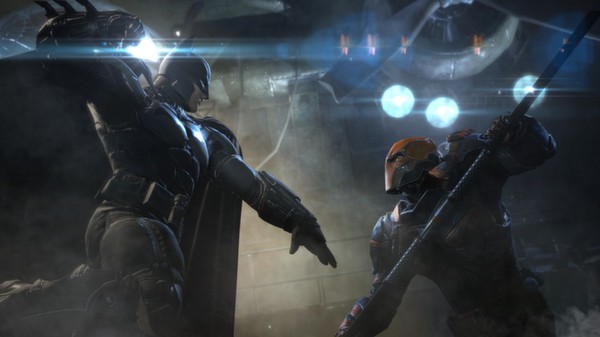
The story is set on Christmas Eve in Gotham City, where a massive bounty is placed on Batman’s head by crime lord Black Mask, attracting eight deadly assassins from across the world. As the night unfolds, Batman must survive relentless attacks, uncover hidden conspiracies, and face powerful enemies including Deathstroke, Bane, and the Joker in his early rise.
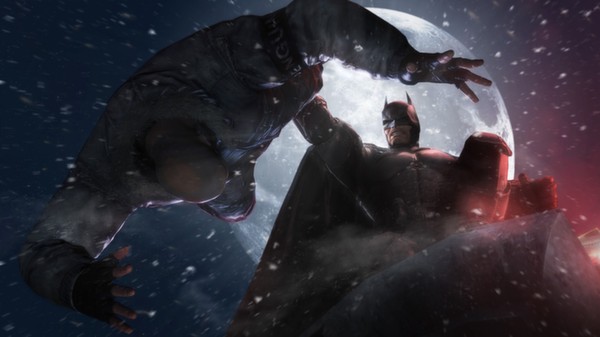
Gameplay focuses on stealth combat, detective investigation, and free-flow melee fighting. Players can glide through Gotham’s snow-covered streets, use gadgets like the grapnel gun, batarangs, and explosive gel, and silently eliminate enemies using stealth takedowns. Combat remains fluid and skill-based, rewarding timing, counters, and combo chains.
One of the standout features of Batman: Arkham Origins is its expanded detective mode, which allows players to reconstruct crime scenes in detail to solve complex cases. This adds a deeper investigative layer to gameplay compared to earlier entries.
The game also features a large open-world Gotham, filled with side missions, hidden challenges, and encounters with iconic villains. The snowy Christmas setting gives the city a darker, more atmospheric tone, enhancing immersion.
If you enjoy superhero action games, stealth gameplay, and detective-style investigations, Batman: Arkham Origins is a must-play title. Download it for PC and experience the early years of Batman’s journey as he becomes the feared protector of Gotham City.
Before downloading make sure that your PC meets minimum system requirements
Minimum System Requirements
- OS: Windows 7/8/10/11
- Processor: Intel Core 2 Duo, 2.4 GHz
- Memory: 2 GB RAM
- Graphics: NVIDIA GeForce 8800 GTS
- DirectX: Version 10
- Storage: 20 GB available space
Screenshots
How to Install Batman Arkham Origins?
- Download: Get the installer only from the official developer or a verified store.
- Run Setup: Double-click the official .exe file and follow the prompts.
- Default Path: Install to the recommended folder to ensure proper system permissions.
- Update: Run the game launcher to download any official security patches.
- Launch: Open the game via the official desktop shortcut.



