 Apunkagames Official Site – Games Download For PC ApunKaGames is a best website to download games for PC.
Table of Contents
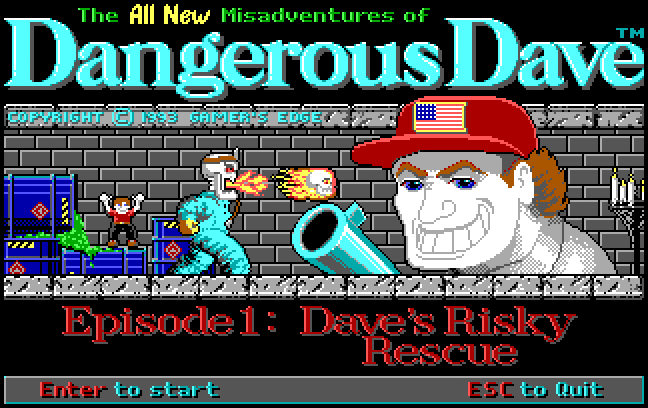
Embark on a classic retro platforming adventure in Dangerous Dave, a legendary side-scrolling platform game created by John Romero and published by Softdisk. Released during the early days of PC gaming, the game became a memorable favorite thanks to its challenging levels, simple controls, and addictive gameplay.
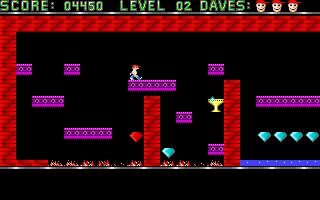
The gameplay focuses on platforming, exploration, and survival, where players control Dave as he navigates dangerous caves and underground environments filled with traps, monsters, and obstacles. The objective is to collect treasures, find keys, and reach the exit while avoiding hazards along the way.
One of the standout features of Dangerous Dave is its straightforward but challenging level design. Players must carefully time jumps, avoid spikes, dodge enemies, and plan routes through increasingly difficult stages. Mistakes can quickly lead to failure, making precision and patience essential.
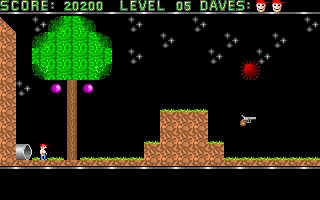
Throughout the adventure, Dave can collect weapons and ammunition to defend himself against monsters and hostile creatures encountered in the caves. Resource management becomes important because ammunition is limited and must be used wisely.
The game features colorful levels filled with hidden items, collectibles, keys, doors, and secret paths that encourage exploration. Each stage introduces new challenges and obstacles that test players’ platforming skills.
Despite its simple graphics by modern standards, Dangerous Dave became highly popular due to its smooth gameplay, memorable design, and accessibility on early PC systems. It remains an important title in the history of PC gaming and platformers.
With its combination of challenging platforming, classic arcade action, and nostalgic retro gameplay, Dangerous Dave remains one of the most beloved classic PC games for fans of old-school platform adventures.
Before downloading make sure that your PC meets minimum system requirements
Minimum System Requirements
- OS: Windows 7 / 8
- Processor: 286 or higher
- Memory: 640 KB RAM
- Graphics: CGA/EGA graphics
- Storage: 500 KB available space
Screenshots
How to Install Dangerous Dave?
- Download: Get the installer only from the official developer or a verified store.
- Run Setup: Double-click the official .exe file and follow the prompts.
- Default Path: Install to the recommended folder to ensure proper system permissions.
- Update: Run the game launcher to download any official security patches.
- Launch: Open the game via the official desktop shortcut.



