Apunkagames Official Site – Games Download For PC ApunKaGames is a best website to download games for PC.
Table of Contents

Travel through time and reshape iconic battles in Dragon Ball Xenoverse, a 3D fighting action RPG developed by Dimps and published by Bandai Namco Entertainment. Based on the legendary Dragon Ball universe created by Akira Toriyama, the game mixes fast-paced combat with time-travel storytelling.
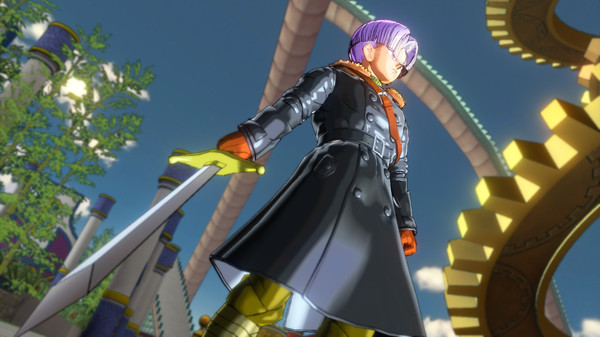
The gameplay focuses on arena-based fighting, RPG progression, and mission-driven battles, where players create their own custom fighter and join the Time Patrol under the guidance of Trunks. The goal is to fix altered timelines caused by villains interfering with key events from the Dragon Ball story.
Combat is fully 3D and emphasizes aerial movement, combos, energy attacks, and transformation abilities. Players can fly freely around arenas while using melee strikes, ki blasts, and signature moves like Kamehameha or Final Flash to defeat enemies.
One of the standout features of Dragon Ball Xenoverse is its character customization system. Players can choose different races such as Saiyan, Namekian, Earthling, Majin, or Frieza’s race, each with unique abilities and transformations that affect gameplay style.
The game revisits famous battles from the Dragon Ball series but with alternate outcomes due to timeline distortions. Players participate in iconic fights involving characters like Goku, Vegeta, Frieza, Cell, and many others while correcting historical changes.
Progression allows players to level up, unlock new skills, upgrade stats, and equip different abilities to build a personalized fighting style. The hub world also includes multiplayer features where players can train, team up, or compete.
With its combination of custom character progression, time-travel storytelling, and fast 3D anime combat, Dragon Ball Xenoverse delivers an action-packed experience for fans of the Dragon Ball universe on PC and consoles.
Before downloading make sure that your PC meets minimum system requirements
Minimum System Requirements
- OS: Windows 7 / 8 / 10 / 11 (64-bit)
- Processor: Intel Core 2 Duo 2.4GHz
- Memory: 2 GB RAM
- Graphics: Nvidia GeForce 8800 GT
- DirectX: Version 9.0c
- Storage: 10 GB available space
Screenshots

How to Install Dragon Ball Xenoverse?
- Download: Get the installer only from the official developer or a verified store.
- Run Setup: Double-click the official .exe file and follow the prompts.
- Default Path: Install to the recommended folder to ensure proper system permissions.
- Update: Run the game launcher to download any official security patches.
- Launch: Open the game via the official desktop shortcut.