Apunkagames Official Site – Games Download For PC ApunKaGames is a best website to download games for PC.
Table of Contents
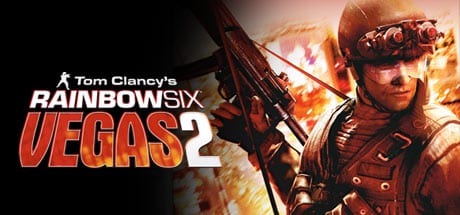
Tom Clancy’s Rainbow Six Vegas 2 is a tactical first-person shooter developed by Ubisoft Montreal and published by Ubisoft. It is part of the long-running Tom Clancy’s Rainbow Six series and focuses on close-quarters combat, counter-terrorism operations, and strategic squad-based gameplay.
The story takes place in Las Vegas, where an elite Rainbow operative is tasked with stopping a terrorist threat that escalates into deadly urban warfare across casinos, hotels, and city environments. Players engage in high-risk missions to eliminate hostile forces and secure critical locations.
Gameplay focuses on tactical shooting, cover-based combat, and team coordination. Players lead or support a squad through dangerous indoor and urban environments, using careful movement, breach tactics, and communication to clear rooms and complete objectives.
One of the standout features of Tom Clancy’s Rainbow Six: Vegas 2 is its cover system, allowing players to lean, blind-fire, and strategically move between cover points during firefights. This emphasizes realism and planning over run-and-gun gameplay.
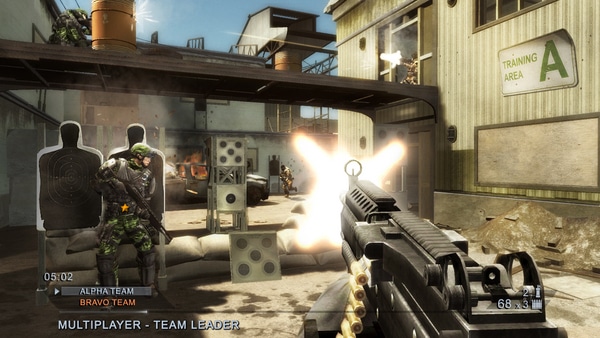
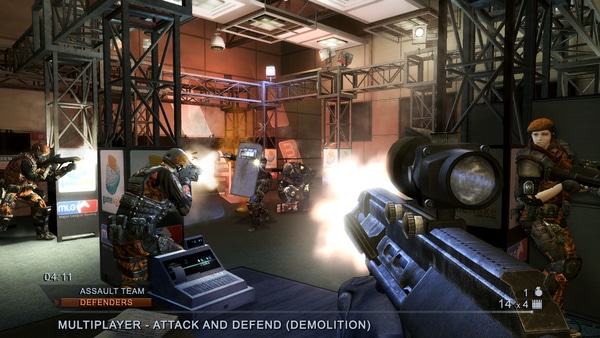
The game also includes co-op campaign mode and competitive multiplayer, where teamwork and strategy are essential for success in tight, fast-paced combat scenarios.
Visually, it features realistic urban environments, dynamic lighting inside casinos and buildings, and immersive sound design, creating tense and cinematic firefights.
If you enjoy tactical shooters, close-quarters combat, and team-based military gameplay, Tom Clancy’s Rainbow Six: Vegas 2 is a strong choice. It delivers intense counter-terrorism action focused on strategy, precision, and coordination.
Before downloading make sure that your PC meets minimum system requirements
Minimum System Requirements
- OS: Windows 7/8/10/11
- Processor: 3 GHz Pentium 4 or AMD Athlon 3000
- Memory: 1 GB of RAM
- Graphics: 128 MB DirectX 9.0c-compliant
- DirectX: DirectX 9.0c
- Hard Drive: 7 GB free
Screenshots
How to Install?
- Download: Get the installer only from the official developer or a verified store.
- Run Setup: Double-click the official .exe file and follow the prompts.
- Default Path: Install to the recommended folder to ensure proper system permissions.
- Update: Run the game launcher to download any official security patches.
- Launch: Open the game via the official desktop shortcut.