 Apunkagames Official Site – Games Download For PC ApunKaGames is a best website to download games for PC.
Table of Contents
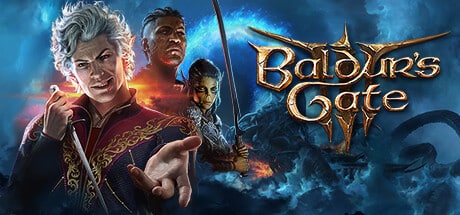
Embark on an epic fantasy adventure in Baldur’s Gate 3, a critically acclaimed role-playing game developed and published by Larian Studios. Set in the legendary Forgotten Realms universe, the game combines deep storytelling, tactical combat, and unparalleled player freedom.
The gameplay focuses on party-based RPG mechanics, turn-based tactical combat, exploration, and choice-driven storytelling, where players create their own character or play as one of several unique origin characters. After being infected by a mysterious parasite, players must navigate a dangerous world filled with political intrigue, ancient powers, and supernatural threats.
One of the standout features of Baldur’s Gate 3 is its immense level of player choice. Nearly every quest, conversation, and encounter can be approached in multiple ways, with decisions influencing relationships, story outcomes, and the fate of entire regions. Actions often have long-term consequences that can dramatically change the course of the adventure.
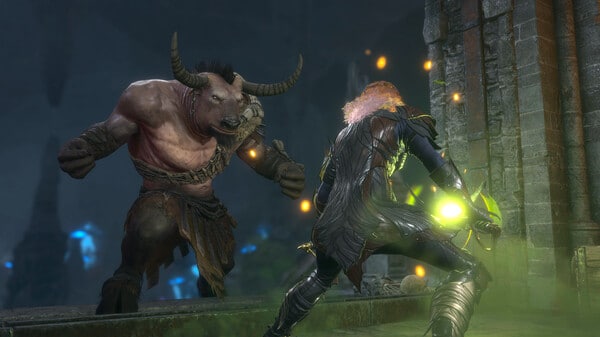
Combat is based on the rules of Dungeons & Dragons 5th Edition, emphasizing strategy, positioning, environmental interactions, and creative use of abilities. Players can combine spells, weapons, and environmental effects to overcome enemies in countless ways.
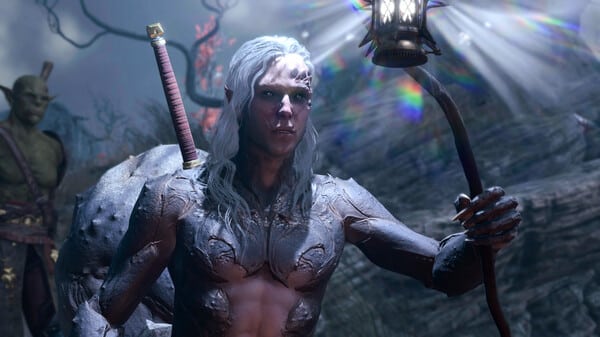
The game features a diverse cast of companions, each with their own personalities, backstories, motivations, and personal quests. Building relationships with these characters can unlock new storylines, abilities, and memorable interactions throughout the campaign.
Exploration is richly rewarded, with hidden treasures, secret areas, puzzles, and optional quests scattered across a vast fantasy world filled with unique locations and lore.
With its combination of deep role-playing systems, meaningful choices, tactical combat, and exceptional storytelling, Baldur’s Gate 3 stands as one of the most celebrated RPGs ever created for PC and console players.
Before downloading make sure that your PC meets minimum system requirements
Minimum System Requirements
- OS: Windows 10 64-bit
- Processor: Intel I5 4690 / AMD FX 8350
- Memory: 8 GB RAM
- Graphics: Nvidia GTX 970 / RX 480
- DirectX: Version 11
- Storage: 150 GB available space
Screenshots
How to Install Baldur’s Gate 3?
- Download: Get the installer only from the official developer or a verified store.
- Run Setup: Double-click the official .exe file and follow the prompts.
- Default Path: Install to the recommended folder to ensure proper system permissions.
- Update: Run the game launcher to download any official security patches.
- Launch: Open the game via the official desktop shortcut.



