 Apunkagames Official Site – Games Download For PC ApunKaGames is a best website to download games for PC.
Table of Contents

Run a full motorsport team from the pit wall in GT Manager, a racing management simulation developed and published by Tiny Digital Factory. Instead of driving the cars yourself, the game puts you in charge of strategy, upgrades, and race-day decisions in the world of GT and endurance racing.
The gameplay focuses on team management, race strategy, and real-time decision-making, where players control every aspect of a professional racing team. You manage drivers, hire staff, upgrade facilities, and develop car performance to compete in increasingly competitive championships.
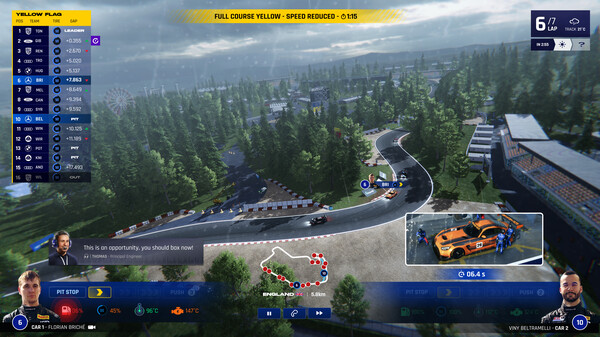
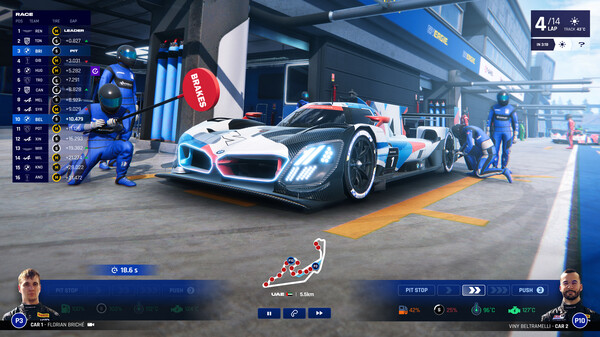
During races, you act as a strategist rather than a driver. You control tire choices, fuel strategies, pit stop timing, and driver instructions, making split-second decisions that can determine victory or failure over long endurance events.
One of the standout features of GT Manager is its real-time race simulation system. Races unfold live, with changing weather conditions, tire wear, and unpredictable incidents requiring constant adjustments to strategy.
Players must also handle the business side of motorsport, including sponsorship deals, budget management, and long-term team development. Smart investments in car upgrades and staff improvements are essential for climbing the ranks.
The game includes multiple racing categories and events inspired by GT racing and endurance championships, where consistency and strategy matter more than pure speed.
With its combination of deep motorsport management, real-time race strategy, and team-building progression, GT Manager delivers a detailed and immersive experience for players who enjoy racing from the pit wall rather than behind the wheel.
Before downloading make sure that your PC meets minimum system requirements
Minimum System Requirements
- OS: Windows 7/8/10/11
- Processor: Intel Core i3 Quad-Core
- Memory: 8 GB RAM with 2GB VRAM
- Storage: 4 GB available space
Screenshots
How to Install GT Manager?
- Download: Get the installer only from the official developer or a verified store.
- Run Setup: Double-click the official .exe file and follow the prompts.
- Default Path: Install to the recommended folder to ensure proper system permissions.
- Update: Run the game launcher to download any official security patches.
- Launch: Open the game via the official desktop shortcut



