 Apunkagames Official Site – Games Download For PC ApunKaGames is a best website to download games for PC.
Table of Contents
Become a powerful space warrior in Warframe, a free-to-play online action game developed and published by Digital Extremes. Set in a vast sci-fi universe, the game combines fast-paced combat, deep customization, and cooperative multiplayer gameplay centered around biomechanical suits called Warframes.
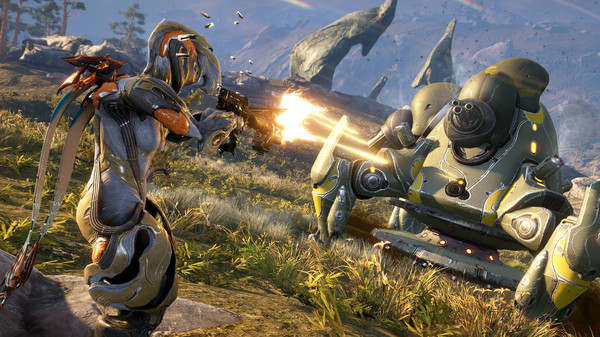
The gameplay focuses on third-person action combat, cooperative missions, and looter-shooter progression, where players control ancient warriors known as Tenno. Each Warframe comes with unique abilities, allowing different combat styles ranging from stealth and agility to heavy firepower and crowd control.
One of the standout features of Warframe is its movement system. Players can perform fluid parkour-style maneuvers including wall-running, sliding, bullet jumping, and aerial attacks, creating extremely fast and dynamic combat across missions.
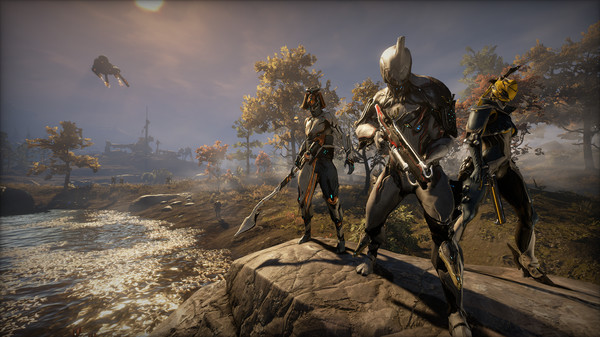
Combat takes place across a wide variety of planets and environments, including space stations, ruined cities, alien landscapes, and enemy strongholds. Missions include objectives such as sabotage, rescue, defense, assassination, and survival.
Customization is one of the deepest systems in the game. Players can unlock and upgrade Warframes, weapons, companions, and mods, allowing for highly personalized builds that dramatically affect gameplay performance and strategy.
The game also features a massive progression system with multiple factions, story quests, open-world zones, and endgame content, all expanded regularly through updates and events.
With its combination of fast-paced combat, deep customization, cooperative gameplay, and expansive sci-fi universe, Warframe delivers one of the most content-rich and enduring online action experiences in modern gaming.
Before downloading make sure that your PC meets minimum system requirements
Minimum System Requirements
- OS: Windows 7 64-Bit
- Processor: Intel Core i7 860, Intel Core i5 750
- Video: DirectX 11+ capable Graphics Card
- Memory:4 GB RAM
- Storage:50 GB available HD space
Screenshots
How to Install Warframe?
- Download: Get the installer only from the official developer or a verified store.
- Run Setup: Double-click the official .exe file and follow the prompts.
- Default Path: Install to the recommended folder to ensure proper system permissions.
- Update: Run the game launcher to download any official security patches.
- Launch: Open the game via the official desktop shortcut.



