Apunkagames Official Site – Games Download For PC ApunKaGames is a best website to download games for PC.
Table of Contents
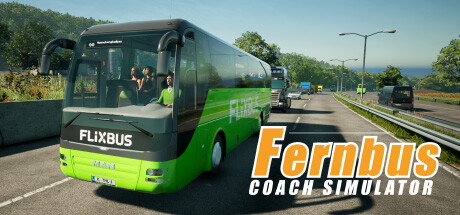
Drive across real European highways and experience long-distance travel in Fernbus Simulator, a realistic bus driving simulation developed by TML-Studios and published by Aerosoft. The game focuses on authentic intercity bus operations, offering a detailed recreation of passenger transport across Germany and surrounding regions.
The gameplay centers on bus driving simulation, route management, passenger transport, and realistic traffic systems, where players take control of a modern coach bus and operate scheduled routes between cities. Players must follow traffic rules, manage time schedules, and ensure passenger comfort throughout long journeys.
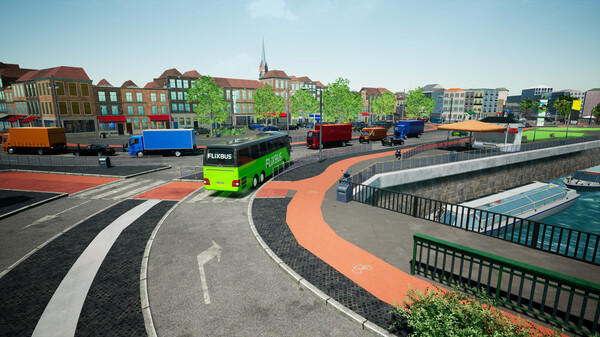
One of the standout features of Fernbus Simulator is its realistic road network and environment. The game features an extensive map based on real German autobahns, cities, and countryside routes, creating an immersive long-distance driving experience.
Players must handle real-world driving challenges such as traffic congestion, weather conditions, highway speed regulations, tolls, and fatigue management. Careful driving and attention to detail are essential for completing routes successfully.
The passenger system adds another layer of realism. Travelers board and exit the bus at designated stops, and players are evaluated based on driving behavior, punctuality, and service quality.
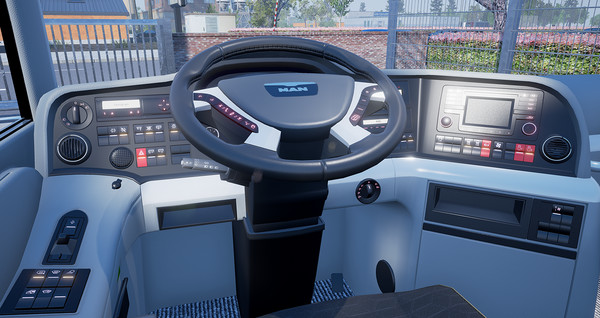
The game also includes vehicle customization and management features, allowing players to adjust bus settings, inspect vehicles, and improve operational efficiency over time.
With its combination of realistic driving mechanics, long-distance route simulation, and authentic passenger transport systems, Fernbus Simulator delivers a highly detailed and immersive experience for fans of bus simulation games.
Before downloading make sure that your PC meets minimum system requirements
Minimum System Requirements
- OS: Windows 10, 11
- Processor: Intel Core i5 Processor
- Memory: 6 GB RAM
- Graphics: Nvidia GeForce GTX 560
- DirectX: Version 11
- Storage: 45 GB available space
Screenshots
How to Install Fernbus Simulator?
- Download: Get the installer only from the official developer or a verified store.
- Run Setup: Double-click the official .exe file and follow the prompts.
- Default Path: Install to the recommended folder to ensure proper system permissions.
- Update: Run the game launcher to download any official security patches.
- Launch: Open the game via the official desktop shortcut.