Apunkagames Official Site – Games Download For PC ApunKaGames is a best website to download games for PC.
Table of Contents
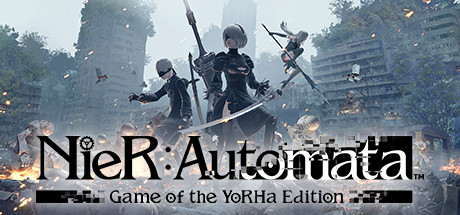
NieR Automata is an action RPG developed by PlatinumGames and published by Square Enix. It is part of the NieR series and is widely praised for its fast combat, emotional storytelling, philosophical themes, and multiple-ending narrative structure.
The story takes place in a distant future where humanity has fled Earth after an invasion by alien-created machines. Players control combat androids from the organization YoRHa, mainly 2B, 9S, and A2, who are sent to reclaim Earth from the machine lifeforms.
Gameplay combines hack-and-slash combat, RPG progression, shooting mechanics, exploration, and bullet-hell elements. The game frequently shifts gameplay styles between third-person action, side-scrolling sections, aerial combat, and top-down shooter sequences.
One of the standout features of NieR is its multiple-playthrough narrative system, where replaying the game from different characters’ perspectives reveals entirely new story layers, secrets, and endings.
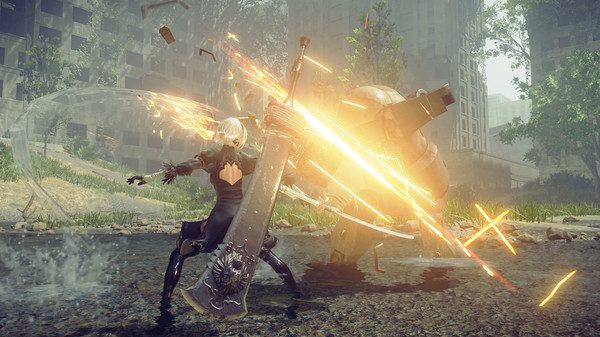
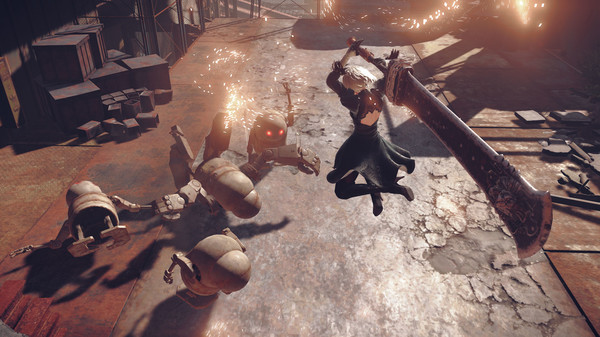
The combat system is highly fluid and stylish, featuring fast dodging, combo attacks, weapon switching, and support drones called Pods, all enhanced by PlatinumGames’ signature action gameplay design.
The game also explores deep themes such as existence, consciousness, humanity, war, emotions, and purpose, making it much more philosophical than a typical action game.
Visually, it features post-apocalyptic sci-fi environments, haunting atmosphere, cinematic boss battles, and anime-inspired character design, supported by one of the most acclaimed soundtracks in gaming.
If you enjoy action RPGs, emotional sci-fi stories, and fast stylish combat, NieR is considered a masterpiece and one of the most influential modern RPGs.
Before downloading make sure that your PC meets minimum system requirements
Minimum System Requirements
- OS: Windows 7 /8.1 /10 64bit
- Processor: Intel Core i3 2100
- Memory: 4 GB RAM
- Graphics: NVIDIA GeForce GTX 770 VRAM
- DirectX: Version 11
- Storage: 50 GB available space
Screenshots
How to Install NieR Automata?
- Download: Get the installer only from the official developer or a verified store.
- Run Setup: Double-click the official .exe file and follow the prompts.
- Default Path: Install to the recommended folder to ensure proper system permissions.
- Update: Run the game launcher to download any official security patches.
- Launch: Open the game via the official desktop shortcut.