Apunkagames Official Site – Games Download For PC ApunKaGames is a best website to download games for PC.
Table of Contents

Metal Slug 5 is a lightning-fast run-and-gun arcade classic released in 2003 that brought a distinct, gritty vibe to the legendary side-scrolling series. This installment shifts away from the traditional alien invasions of previous titles, tasking the elite Peregrine Falcon strike team with retrieving stolen, top-secret records from a mysterious corporate doomsday cult known as the Ptolemaic Army.
What makes this entry a stand-out for PC players accessing it via legacy collections or emulation is the introduction of the slide dash mechanic. By pressing down and jump simultaneously, your character can fluidly dodge enemy fire and slide through narrow choke points, drastically increasing the speed of the core combat loop. The game also introduced massive new mechanized vehicles, including the heavily armed, bi-pedal Slug Gunner mecha.
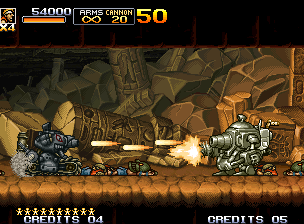
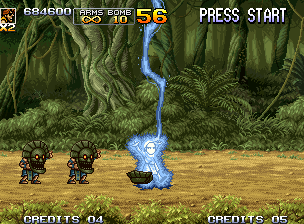
Visually, the game pushes the historic Neo Geo 2D sprite engine to its absolute limits, featuring beautifully detailed, multi-layered industrial backgrounds and massive, screen-filling boss encounters. This aesthetic is fueled by a unique, heavy-metal and hard-rock soundtrack that sets a much darker tone than its predecessors. The lightweight emulation requires minimal hardware overhead, demanding less than 1 GB of available storage space on your hard drive or solid-state drive (SSD) to run flawlessly.
Before downloading make sure that your PC meets minimum system requirements
Minimum System Requirements
- OS: Windows XP/7/8/10
- Processor: Pentium III 1.0GHz
- Memory: 256 MB RAM
- Graphics: Integrated graphics or any DirectX-compatible GPU
- DirectX: Version 9.0
- Storage: 1 GB available space
Screenshots
How to Install Metal Slug 5?
- Download: Get the installer only from the official developer or a verified store.
- Run Setup: Double-click the official .exe file and follow the prompts.
- Default Path: Install to the recommended folder to ensure proper system permissions.
- Update: Run the game launcher to download any official security patches.
- Launch: Open the game via the official desktop shortcut.