 Apunkagames Official Site – Games Download For PC ApunKaGames is a best website to download games for PC.
Table of Contents
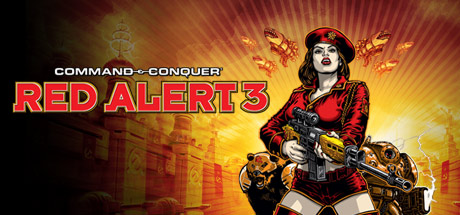
Dive into an over-the-top global war across land, sea, and air in Command And Conquer Red Alert 3, a real-time strategy game developed by EA Los Angeles and published by Electronic Arts. Set in an alternate timeline, the game continues the Allied–Soviet conflict while introducing a new rising power: the Empire of the Rising Sun.
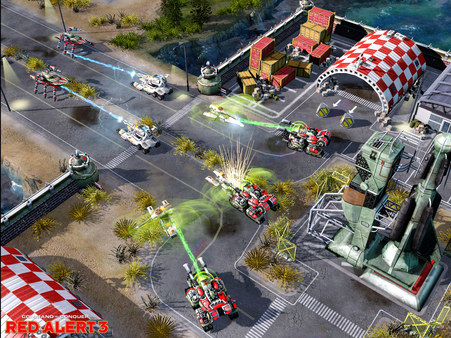
The gameplay focuses on real-time strategy, base building, resource management, and large-scale tactical warfare, where players construct bases, gather resources, and command armies across dynamic battlefield environments.
One of the standout features of Red Alert 3 is its three distinct factions. The Allies focus on advanced technology and support abilities, the Soviets rely on heavy brute-force units and armor, and the Empire of the Rising Sun uses futuristic transforming units and high-mobility tactics.
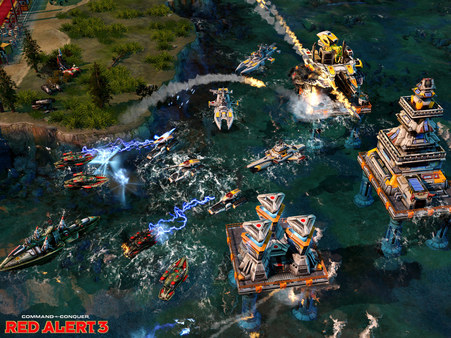
Combat includes tanks, infantry, aircraft, naval fleets, and powerful superweapons. A key innovation in the game is its strong emphasis on naval warfare, with water-based maps playing a major strategic role in battles.
Each faction has unique units such as Tesla tanks, cryo weapons, transforming mechs, and psychic or superweapon-based abilities that can drastically change the flow of combat.
The game also features a cooperative campaign, allowing two players to team up and complete missions together, adding a new layer of strategy and coordination.
With its combination of fast-paced RTS combat, stylized visuals, three unique factions, and expanded naval warfare, Command & Conquer: Red Alert 3 delivers a colorful and chaotic take on global conflict in the iconic RTS series.
Before downloading make sure that your PC meets minimum system requirements
Minimum System Requirements
- OS: Windows XP, Windows Vista
- Processor: Intel Pentium 4 2.2 GHz
- Memory: 1 GB RAM
- Graphics: NVIDIA GeForce 6800
- DirectX: Version 9.0c
- Storage: 10 GB available space
Screenshots
How to Install?
- Download: Get the installer only from the official developer or a verified store.
- Run Setup: Double-click the official .exe file and follow the prompts.
- Default Path: Install to the recommended folder to ensure proper system permissions.
- Update: Run the game launcher to download any official security patches.
- Launch: Open the game via the official desktop shortcut.



