 Apunkagames Official Site – Games Download For PC ApunKaGames is a best website to download games for PC.
Table of Contents
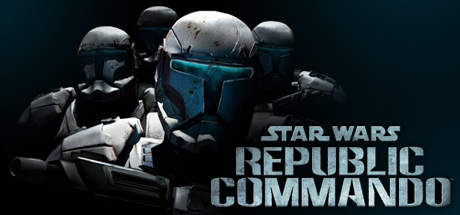
Star Wars Republic Commando is a tactical first-person shooter developed by LucasArts set in the universe of Star Wars. The game focuses on squad-based combat, elite clone trooper operations, and intense military missions during the early days of the Clone Wars.
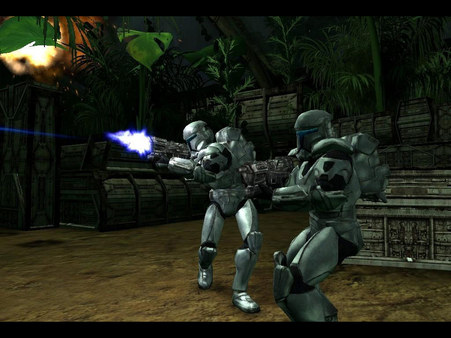
The story follows Delta Squad, a team of highly trained Republic clone commandos operating behind enemy lines. As squad leader “Boss,” players carry out dangerous missions against the Separatist forces, including infiltration, sabotage, and rescue operations across hostile environments.
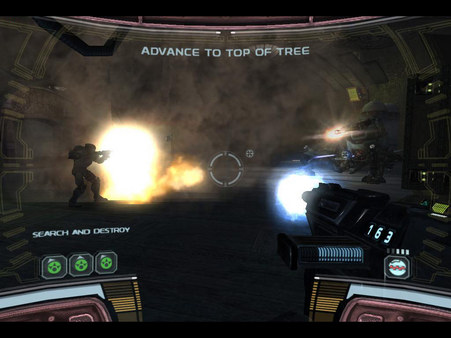
Gameplay emphasizes team coordination, tactical shooting, and real-time squad commands. Players can order teammates to breach doors, snipe enemies, hack systems, and provide covering fire while engaging in fast-paced FPS combat. The squad AI reacts dynamically, making teamwork essential for survival.
One of the standout features of Star Wars: Republic Commando is its immersive squad command system, where players control the flow of battle by issuing simple yet powerful orders to Delta Squad members. This creates a more strategic experience compared to traditional shooters.
The game also features dark and realistic Star Wars combat, showing the Clone Wars from a ground-level perspective with gritty environments, heavy firefights, and intense missions on planets like Geonosis and Kashyyyk.
Visually, the game delivers atmospheric lighting, detailed environments, and a strong military sci-fi tone that sets it apart from other Star Wars titles. The sound design and voice acting further enhance immersion.
If you enjoy tactical shooters, squad-based gameplay, and Star Wars military action, Star Wars: Republic Commando is a must-play title. Experience the Clone Wars from the perspective of elite clone commandos in one of the most intense Star Wars FPS games ever created.
Before downloading make sure that your PC meets minimum system requirements
Minimum System Requirements
- OS: Windows 2000, XP or Vista
- Processor: Pentium III or Athlon 1.0 GHz
- Memory: 256MB RAM
- Graphics: 64MB 3D Graphics card
- DirectX®: 9.0b
- Hard Drive: 2.0GB
Screenshots
How to Install?
- Download: Get the installer only from the official developer or a verified store.
- Run Setup: Double-click the official .exe file and follow the prompts.
- Default Path: Install to the recommended folder to ensure proper system permissions.
- Update: Run the game launcher to download any official security patches.
- Launch: Open the game via the official desktop shortcut.



