 Apunkagames Official Site – Games Download For PC ApunKaGames is a best website to download games for PC.
Table of Contents

Star Wars Jedi Survivor is a third-person action-adventure game developed by Respawn Entertainment and published by Electronic Arts. It is the direct sequel to Star Wars Jedi: Fallen Order and continues the story of Cal Kestis, set in the universe of Star Wars.
The game takes place five years after Fallen Order, where Cal is now a more experienced Jedi Knight. The galaxy is becoming even more dangerous as the Empire tightens its control, forcing Cal and his allies to fight for survival while searching for hope and hidden safe havens.
Gameplay focuses on cinematic third-person combat, exploration, and puzzle-solving. Players travel across multiple planets, fight Imperial forces and deadly creatures, and unlock new abilities that expand both combat and traversal options.
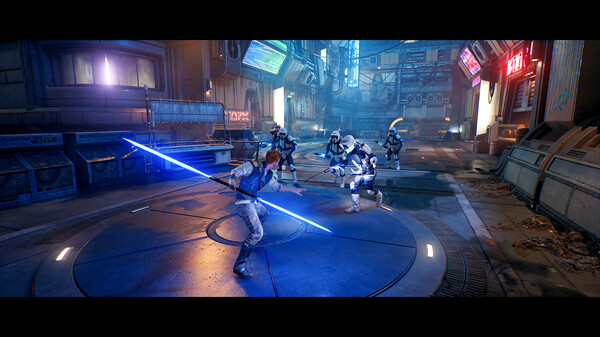
One of the standout features of Star Wars Jedi: Survivor is its expanded lightsaber combat system, which introduces multiple fighting stances such as dual-wield, blaster hybrid, and heavy crossguard styles. Each stance changes how combat feels, allowing different strategies for different enemies.
The game also significantly expands Force abilities, letting players push, pull, slow time, and use enhanced mobility skills while exploring large semi-open worlds. Environments are bigger and more diverse compared to the first game, featuring deserts, forests, cities, and hidden Jedi-era ruins.
Visually, it delivers cinematic presentation, high-quality graphics, and detailed Star Wars environments, along with strong voice acting and an emotional soundtrack that continues Cal’s journey.
If you enjoy lightsaber combat, story-driven action games, and Star Wars adventures, Star Wars Jedi: Survivor is a must-play title. It expands everything from the first game with deeper combat, larger worlds, and a more mature Jedi story.
Before downloading make sure that your PC meets minimum system requirements
Minimum System Requirements
- OS: Windows 10 64-bit
- Processor: 4 core / 8 threads | Intel Core i7-7700
- Memory: 8 GB RAM
- Graphics: 8GB VRAM | GTX 1070
- DirectX: Version 12
- Storage: 155 GB available space
Screenshots

How to Install Star Wars Jedi Survivor?
- Download: Get the installer only from the official developer or a verified store.
- Run Setup: Double-click the official .exe file and follow the prompts.
- Default Path: Install to the recommended folder to ensure proper system permissions.
- Update: Run the game launcher to download any official security patches.
- Launch: Open the game via the official desktop shortcut.



