 Apunkagames Official Site – Games Download For PC ApunKaGames is a best website to download games for PC.
Table of Contents
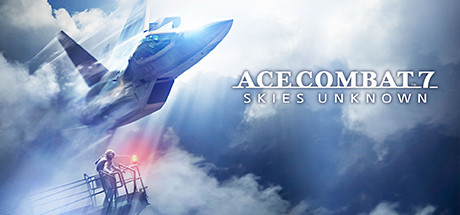
Ace Combat 7 Skies Unknown is a combat flight action game developed and published by Bandai Namco Entertainment. It is part of the long-running Ace Combat series and focuses on cinematic aerial warfare, fast jet combat, and story-driven military action.
The story takes place in a fictional world where two nations, Osea and Erusea, are engaged in a large-scale war. Players follow multiple perspectives, including a fighter pilot in the Osean Air Defense Force who becomes involved in key battles that can determine the outcome of the conflict.
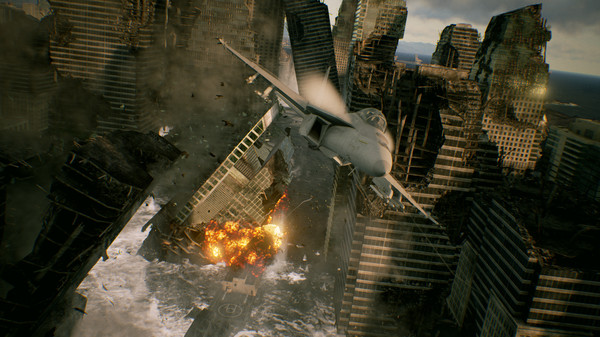
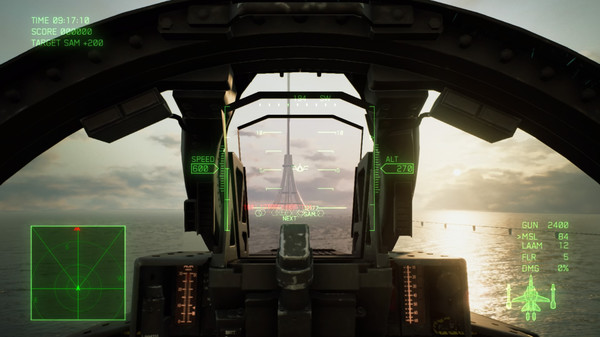
Gameplay focuses on high-speed aerial combat using modern fighter jets. Players engage in dogfights, missile battles, bombing runs, and special mission objectives across large open skies and detailed environments.
One of the standout features of Ace Combat 7: Skies Unknown is its realistic flight physics combined with arcade-style accessibility, making it easy to learn but difficult to master. The game also includes dynamic weather systems such as storms, clouds, and turbulence that directly affect combat.
The game features a strong story-driven campaign with cinematic cutscenes, emotional character moments, and radio communications during missions that build immersion and tension.
Visually, it delivers high-detail aircraft models, realistic cloud systems, large-scale battlefields, and cinematic sky environments, making aerial combat feel intense and dramatic.
If you enjoy jet combat games, military aviation, and cinematic action gameplay, Ace Combat 7: Skies Unknown is one of the best modern flight combat experiences available.
Before downloading make sure that your PC meets minimum system requirements
Minimum System Requirements
- OS: Windows 7 / 8 / 8.1 / 10 (64-bit)
- Processor: Intel Core i3-7100
- Memory: 4 GB RAM
- Graphics: NVIDIA GeForce GTX 750Ti
- DirectX: Version 11
- Storage: 50 GB available space
Screenshots
How to Install?
- Download: Get the installer only from the official developer or a verified store.
- Run Setup: Double-click the official .exe file and follow the prompts.
- Default Path: Install to the recommended folder to ensure proper system permissions.
- Update: Run the game launcher to download any official security patches.
- Launch: Open the game via the official desktop shortcut.



