 Apunkagames Official Site – Games Download For PC ApunKaGames is a best website to download games for PC.
Table of Contents
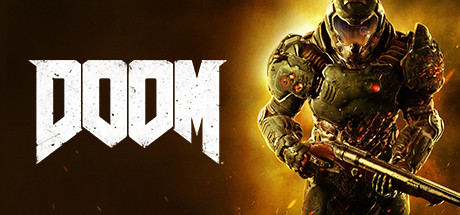
DOOM 2016 is a fast-paced first-person shooter developed by id Software and published by Bethesda Softworks. It is a modern reboot of the classic DOOM series, focusing on aggressive combat, fluid movement, and nonstop demon-slaying action.
The story follows the DOOM Slayer, an ancient warrior awakened on a Mars facility operated by the Union Aerospace Corporation (UAC). When experiments with Argent energy open a portal to Hell, demonic forces invade, and the Slayer is unleashed to destroy them all without hesitation.
Gameplay centers on extremely fast combat, movement-based shooting, and resource-replenishing kills. Players are encouraged to stay aggressive, using weapons, melee attacks, and finishing moves to regain health, armor, and ammo during battles.
One of the standout features of DOOM 2016 is its “push-forward combat” system, where standing still is punished and constant aggression is rewarded through Glory Kills and chainsaw executions.
The game also features a wide arsenal of iconic weapons, including the Super Shotgun, Rocket Launcher, Plasma Rifle, and BFG 9000, each designed for different combat situations and enemy types.
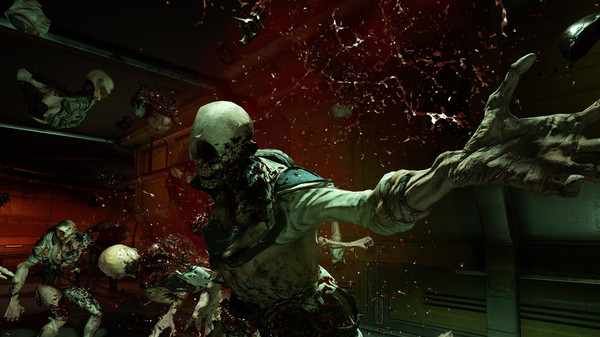
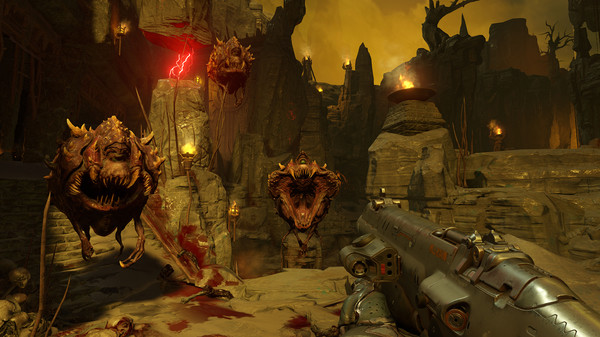
Visually, it delivers high-detail sci-fi environments, Hell-inspired landscapes, industrial Mars facilities, and brutal demon designs, all running on the id Tech engine with smooth performance and intense effects.
If you enjoy fast shooters, heavy action combat, and non-stop adrenaline gameplay, DOOM 2016 is widely regarded as one of the best modern FPS games ever made and the successful revival of the DOOM franchise.
Before downloading make sure that your PC meets minimum system requirements
Minimum System Requirements
- OS: Windows 7/8.1/10/11 (64-bit versions)
- Processor: Intel Core i5-2400
- Memory: 8 GB RAM
- Graphics: NVIDIA GTX 670 2GB
- Storage: 55 GB available space
Screenshots
How to Install DOOM 2016?
- Download: Get the installer only from the official developer or a verified store.
- Run Setup: Double-click the official .exe file and follow the prompts.
- Default Path: Install to the recommended folder to ensure proper system permissions.
- Update: Run the game launcher to download any official security patches.
- Launch: Open the game via the official desktop shortcut.



