Apunkagames Official Site – Games Download For PC ApunKaGames is a best website to download games for PC.
Table of Contents
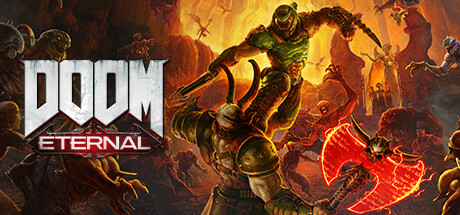
DOOM Eternal is a first-person action shooter developed by id Software and published by Bethesda Softworks. It is the sequel to DOOM (2016) and continues the story of the legendary DOOM Slayer in an all-out war against demonic forces invading Earth.
The story follows the DOOM Slayer as he returns to stop Hell’s invasion of humanity while uncovering deeper secrets about his origins, the Maykrs, and the ancient conflict between different dimensions and civilizations.
Gameplay focuses on extremely fast-paced first-person combat, aggressive movement, platforming, and resource management during battle. Players constantly switch between weapons, abilities, and mobility mechanics to survive intense combat arenas filled with demons.
One of the standout features of DOOM Eternal is its “push-forward combat” system, where players regain health, armor, and ammunition by aggressively attacking enemies through Glory Kills, flame attacks, and chainsaw executions.
The game also greatly expands movement mechanics with double jumps, dashes, wall climbing, and aerial mobility, making combat faster and more strategic than previous DOOM games.
Enemies are designed with specific weaknesses, encouraging players to use the right weapons and tactics during battles rather than relying on a single strategy.
Visually, it features massive demon hordes, destroyed cities, futuristic fortresses, hellish landscapes, and highly detailed visual effects, creating a brutal and cinematic action experience.
If you enjoy high-speed shooters, intense combat, heavy metal-style action, and nonstop adrenaline-filled gameplay, DOOM Eternal is considered one of the best modern first-person shooters ever made.
Before downloading make sure that your PC meets minimum system requirements
Minimum System Requirements
- OS: 64-bit Windows 7 / 64-Bit Windows 10
- Processor: Intel Core i5 3.3 GHz or better
- Memory: 8 GB RAM
- Graphics: NVIDIA GeForce GTX 1050Ti (4GB)
- Network: Broadband Internet connection
- Storage: 80 GB available space
Screenshots
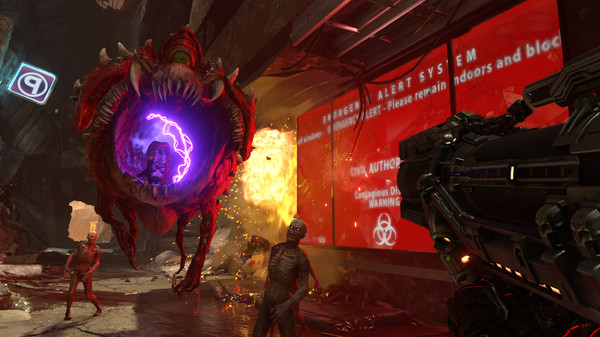
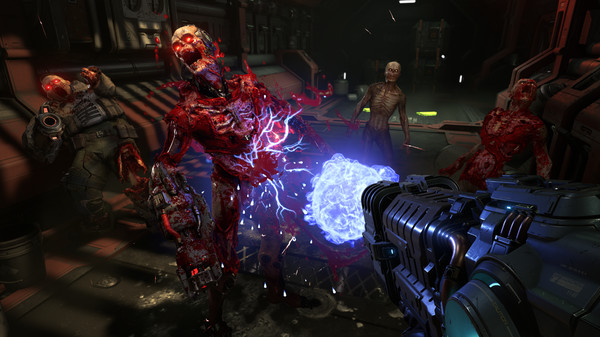
How to Install DOOM Eternal?
- Download: Get the installer only from the official developer or a verified store.
- Run Setup: Double-click the official .exe file and follow the prompts.
- Default Path: Install to the recommended folder to ensure proper system permissions.
- Update: Run the game launcher to download any official security patches.
- Launch: Open the game via the official desktop shortcut.