 Apunkagames Official Site – Games Download For PC ApunKaGames is a best website to download games for PC.
Table of Contents
DOOM II Hell on Earth is a classic first-person shooter developed by id Software and published by GT Interactive. It is the direct sequel to DOOM and is one of the most influential games in FPS history, known for its fast-paced combat, intense level design, and nonstop action.
The story continues after the events of the first DOOM game. After defeating the demons on Mars, the DOOM Marine returns to Earth only to discover that Hell has invaded the planet. Humanity is on the brink of extinction, and the marine becomes humanity’s last hope against the demonic invasion.
Gameplay focuses on high-speed first-person shooting, maze-like exploration, secret hunting, and large-scale enemy battles. Players fight through military bases, ruined cities, and hellish environments while collecting weapons, ammunition, armor, and keycards.
One of the standout features of DOOM II: Hell on Earth is the introduction of the iconic Super Shotgun, one of the most famous weapons in FPS gaming history.
The game also expands enemy variety with powerful new demons such as the Arch-Vile, Mancubus, and Revenant, increasing the challenge and intensity of combat encounters.
Like the original DOOM, the game became highly popular within the modding community, inspiring countless custom maps, total conversions, and gameplay modifications that kept the game alive for decades.
Visually, it features retro pixel-based graphics, dark sci-fi environments, demonic creature designs, and fast arcade-style action, creating a legendary old-school shooter atmosphere.
If you enjoy retro FPS games, fast combat, and classic arcade-style action, DOOM II: Hell on Earth remains one of the most iconic and influential shooters ever created.
Before downloading make sure that your PC meets minimum system requirements
Minimum System Requirements
- OS: Windows 95/98/ME/2000
- CPU: Intel 386DX-40MHz or equivalent
- RAM: 4 MB
- Video Card: 1 MB
- Hard Disk Space: 20 MB
Screenshots
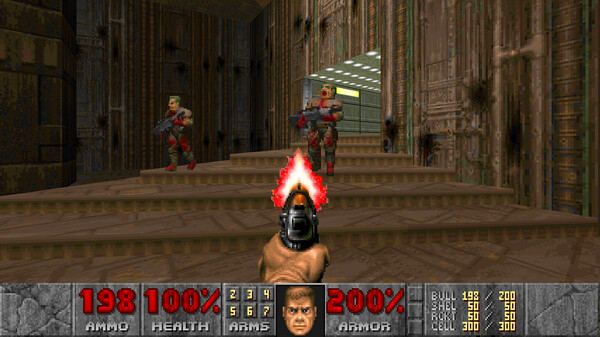
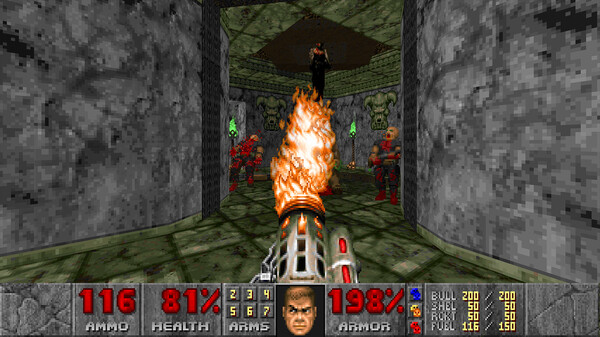
How to Install DOOM 2?
- Download: Get the installer only from the official developer or a verified store.
- Run Setup: Double-click the official .exe file and follow the prompts.
- Default Path: Install to the recommended folder to ensure proper system permissions.
- Update: Run the game launcher to download any official security patches.
- Launch: Open the game via the official desktop shortcut.



