Apunkagames Official Site – Games Download For PC ApunKaGames is a best website to download games for PC.
Table of Contents
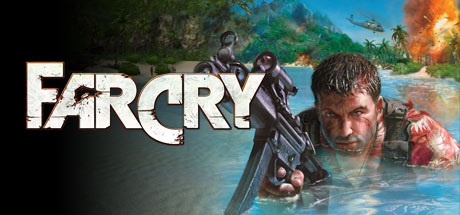
Experience the beginning of a legendary open-world shooter series with Far Cry 1, a groundbreaking first-person action game developed by Crytek and published by Ubisoft. Set on a mysterious tropical island filled with mercenaries, hidden laboratories, and deadly secrets, the game delivers a perfect mix of exploration, stealth, and intense gunfights for PC gamers.
The gameplay focuses on open-ended combat and tactical survival, giving you the freedom to approach missions in multiple ways. You can engage enemies in direct firefights, use stealth to silently eliminate targets, or take advantage of long-range weapons like sniper rifles to control situations from a distance. The AI-driven enemies react dynamically, making each encounter unpredictable and challenging.
One of the strongest features of Far Cry is its large and immersive environments. The tropical islands are filled with dense jungles, abandoned facilities, beaches, and hidden enemy bases. The advanced graphics engine (for its time) introduced realistic lighting, long draw distances, and detailed outdoor environments that set a new standard for PC shooters.
The game also includes vehicles, exploration mechanics, and varied mission objectives that keep gameplay fresh. As the story unfolds, you uncover dark experiments and a deeper conspiracy that increases the intensity of the survival experience.
With its combination of tactical shooting, open-world freedom, and immersive environments, Far Cry remains one of the most influential FPS games ever created. If you enjoy classic shooters with exploration, strategy, and action-packed combat, Far Cry is a must-play title for your PC gaming collection.
Before downloading make sure that your PC meets minimum system requirements
Minimum System Requirements
- OS: Windows XP/7/8/10/11
- Processor: AMD Athlon 1 GHz
- Memory: 256 MB
- Graphics: 64 MB DirectX 9.0
- DirectX: DirectX 9.0b or higher
- Hard Disk Space: 4 GB
Screenshots
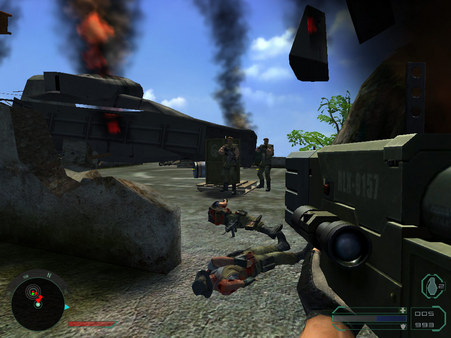
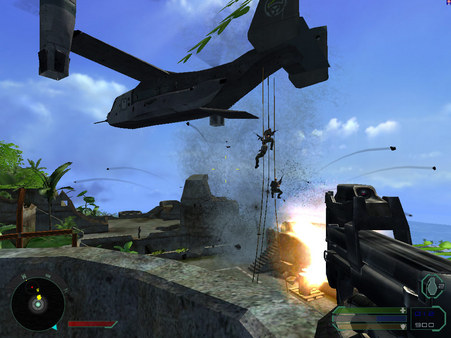
How to Install Far Cry 1?
- Download: Get the installer only from the official developer or a verified store.
- Run Setup: Double-click the official .exe file and follow the prompts.
- Default Path: Install to the recommended folder to ensure proper system permissions.
- Update: Run the game launcher to download any official security patches.
- Launch: Open the game via the official desktop shortcut.