Apunkagames Official Site – Games Download For PC ApunKaGames is a best website to download games for PC.
Table of Contents

Step into a brutal prehistoric world in Far Cry Primal, an immersive open-world action-adventure game developed and published by Ubisoft. Set in the Stone Age, long before modern weapons and technology, the game puts you in the role of Takkar, a hunter fighting to survive in a land filled with dangerous wildlife, rival tribes, and harsh natural environments.
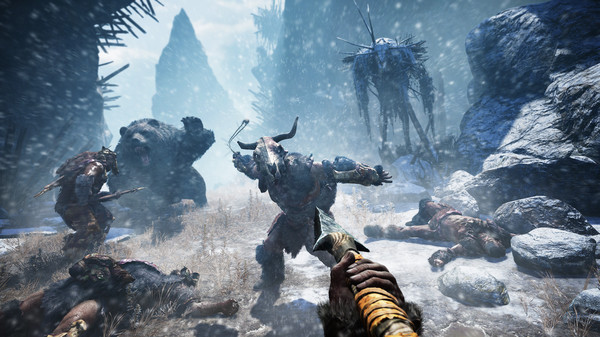
The gameplay focuses on survival, exploration, and close-range combat, offering a unique experience compared to other Far Cry titles. Instead of guns, you rely on primitive weapons such as spears, bows, clubs, and traps. Every encounter requires smart positioning, resource management, and understanding of the environment to survive against both humans and predators.
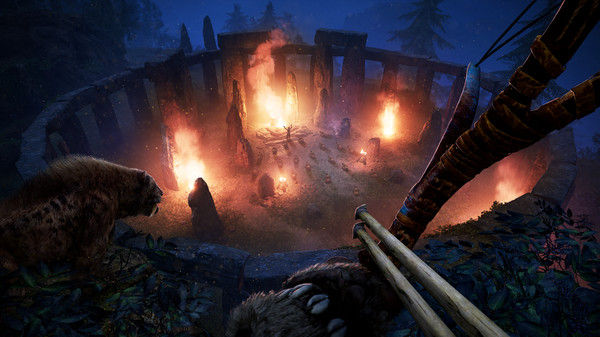
One of the standout features of Far Cry Primal is its immersive prehistoric world. The map is filled with dense forests, snowy mountains, caves, and open valleys, all inhabited by dangerous creatures like mammoths, sabertooth tigers, and wolves. You can also tame wild animals and use them as companions in combat, adding a strategic layer to survival gameplay.
The game introduces a unique language system based on reconstructed primitive speech, enhancing immersion and storytelling. Tribe-building mechanics allow you to grow your village, upgrade skills, and unlock new abilities as you progress through the story.
With its combination of survival mechanics, open-world exploration, and prehistoric combat, Far Cry Primal delivers a fresh and unique experience in the Far Cry series. If you enjoy survival games, hunting mechanics, and raw combat without modern weapons, this title is a must-play for your PC gaming collection.
Before downloading make sure that your PC meets minimum system requirements
Minimum System Requirements
- OS: Windows 7/8/10/11
- Processor: Intel Core i3-550
- Memory: 4 GB RAM
- Graphics: NVIDIA GeForce GTX 460
- Storage: 20 GB available space
Screenshots
How to Install Far Cry Primal?
- Download: Get the installer only from the official developer or a verified store.
- Run Setup: Double-click the official .exe file and follow the prompts.
- Default Path: Install to the recommended folder to ensure proper system permissions.
- Update: Run the game launcher to download any official security patches.
- Launch: Open the game via the official desktop shortcut.