Apunkagames Official Site – Games Download For PC ApunKaGames is a best website to download games for PC.
Table of Contents

SUPERHOT is a unique first-person shooter developed by SUPERHOT Team that blends action, strategy, and puzzle mechanics into a completely innovative gameplay experience. Known for its iconic “time moves only when you move” system, the game transforms traditional shooting gameplay into a tactical and cinematic experience.
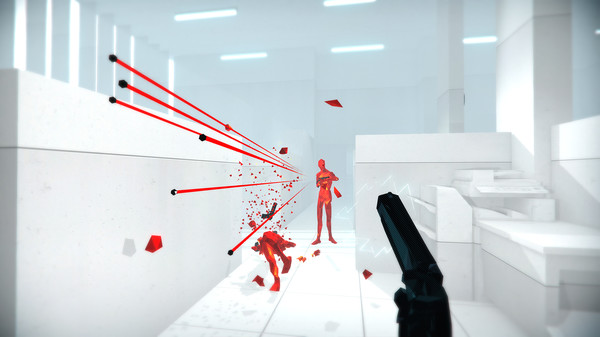
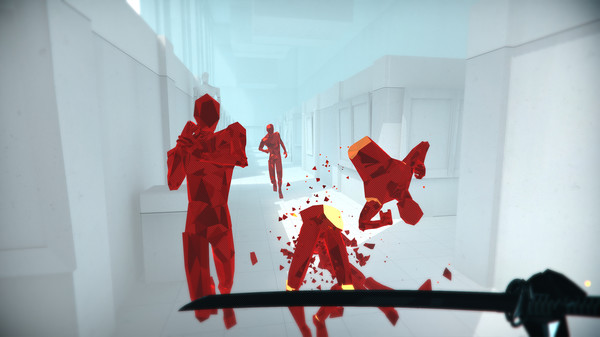
In SUPERHOT, players face red crystalline enemies in minimalist environments where every movement matters. Unlike traditional FPS games, time in the game slows down or stops when you stand still, allowing you to carefully plan each action. You can dodge bullets, catch weapons mid-air, and eliminate enemies with precise timing, turning every encounter into a strategic puzzle.
The gameplay focuses on survival through smart decision-making rather than fast reflexes alone. Players must analyze enemy positions, plan movements, and execute actions step-by-step to clear each level. Weapons are limited, so improvisation and environmental awareness play a key role in success.
One of the standout features of SUPERHOT is its clean visual style. The minimalist design removes distractions, making it easier to focus on gameplay mechanics and enemy movement. The game also includes a strong narrative layer that explores themes of control, reality, and immersion in video games.
If you enjoy innovative FPS games with unique mechanics, puzzle-like combat, and stylish action sequences, SUPERHOT is a must-play title. Download SUPERHOT for PC and experience one of the most creative and original shooters ever made, where time itself becomes your weapon.
Before downloading make sure that your PC meets minimum system requirements
Minimum System Requirements
- OS: Windows 10 / 11
- Processor: Intel Core2Quad Q6600 2,40 GHz
- Memory: 4 GB RAM
- Graphics: GeForce GTX 650 (1024 MB Ram)
- Storage: 4 GB available space
Screenshots
How to Install Superhot?
- Download: Get the installer only from the official developer or a verified store.
- Run Setup: Double-click the official .exe file and follow the prompts.
- Default Path: Install to the recommended folder to ensure proper system permissions.
- Update: Run the game launcher to download any official security patches.
- Launch: Open the game via the official desktop shortcut.