 Apunkagames Official Site – Games Download For PC ApunKaGames is a best website to download games for PC.
Table of Contents
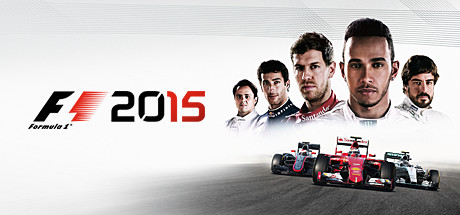
F1 2015 is a realistic Formula 1 racing simulator that brings the excitement of professional motorsport to PC gamers with improved visuals, authentic racing mechanics, and official content from the 2015 Formula 1 season. Developed by Codemasters, this entry in the series focuses on delivering a more immersive driving experience with next-generation graphics and realistic physics that capture the intensity of Formula 1 racing.
One of the key highlights of F1 2015 is its use of a new game engine that significantly improves car handling, track detail, and overall presentation. The driving experience feels more realistic, with precise steering, tire behavior, and aerodynamics that require skill and practice to master. Every corner and overtaking opportunity demands focus, making races both challenging and rewarding.
The game features all official teams, drivers, and circuits from the 2015 Formula 1 season. Iconic tracks such as Monaco, Silverstone, and Spa-Francorchamps are recreated with impressive attention to detail, enhancing immersion and delivering a true-to-life racing atmosphere. The improved weather system also adds unpredictability, as changing conditions can dramatically affect race strategy.
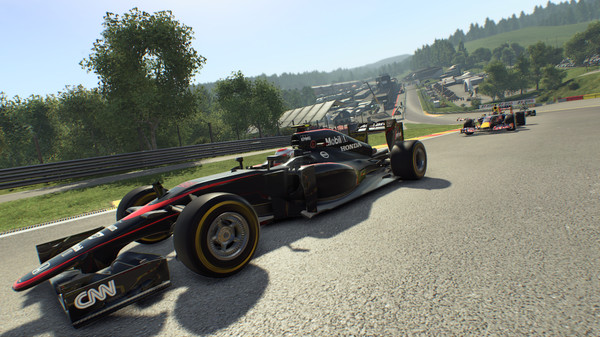
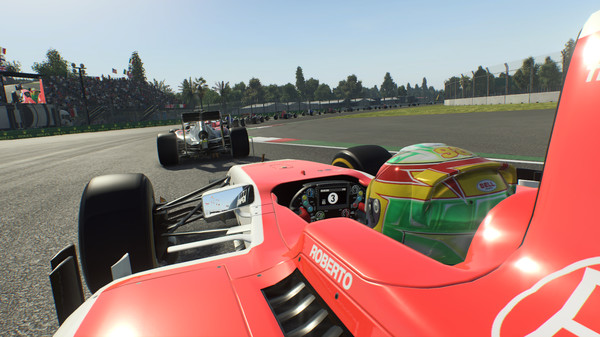
Visually, F1 2015 was a major step forward for the series at the time, offering enhanced lighting effects, detailed car models, and realistic environments that make races feel more cinematic. Combined with engine sounds and broadcast-style presentation, the game successfully captures the excitement of Formula 1 weekends.
While it is more simulation-focused and less feature-rich than later entries, F1 2015 still provides an authentic and enjoyable racing experience. Whether you are a fan of motorsport or realistic driving games, this title remains an important part of the F1 gaming series for PC players.
Before downloading make sure that your PC meets minimum system requirements
Minimum System Requirements
- OS: Windows 7/8/10/11 64 bit
- Processor: Intel Core 2 Quad 3.0GHz
- Memory: 4 GB RAM
- Graphics: Intel 4th Gen Iris Graphics
- DirectX: Version 11
- Network: Broadband Internet connection
- Storage: 20 GB available space
Screenshots
How to Install F1 2015?
- Download: Get the installer only from the official developer or a verified store.
- Run Setup: Double-click the official .exe file and follow the prompts.
- Default Path: Install to the recommended folder to ensure proper system permissions.
- Update: Run the game launcher to download any official security patches.
- Launch: Open the game via the official desktop shortcut.



