 Apunkagames Official Site – Games Download For PC ApunKaGames is a best website to download games for PC.
Table of Contents

Ride through the final days of the American frontier in Red Dead Redemption, an open-world action-adventure game developed by Rockstar San Diego and published by Rockstar Games. Set in 1911, the game follows former outlaw John Marston as he is forced to hunt down members of his old gang in exchange for his family’s freedom.
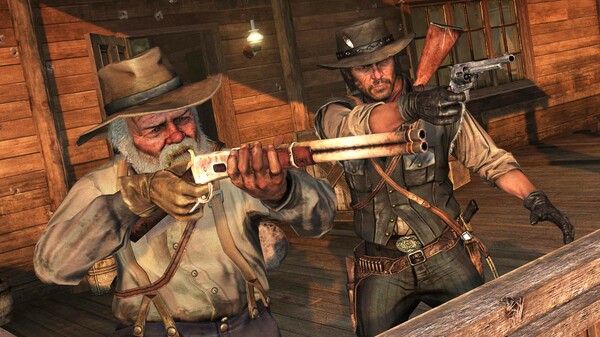
The gameplay focuses on open-world exploration, third-person shooting, horseback riding, and story-driven missions, where players travel across a dying Wild West filled with outlaws, government agents, and lawless territories.
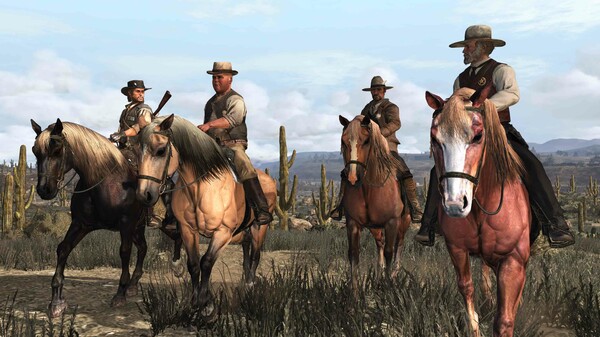
One of the standout features of Red Dead Redemption is its atmospheric open world. Players can explore deserts, frontier towns, Mexican landscapes, forts, and wilderness areas, all filled with dynamic events, wildlife, and unpredictable encounters.
Combat includes a variety of weapons such as revolvers, rifles, shotguns, and explosives. The game also features the Dead Eye targeting system, which allows players to slow time and mark enemies for precise, cinematic gunfights.
Horse riding is the main form of travel, with horses playing a central role in exploration and survival across the vast frontier. Players can also encounter random missions, bounty hunts, and side activities throughout the world.
The story is heavily focused on themes of redemption, sacrifice, loyalty, and the end of the outlaw era, as John Marston is forced to confront his violent past.
With its combination of cinematic storytelling, immersive Wild West atmosphere, and refined shooting mechanics, Red Dead Redemption delivers one of the most iconic and influential western experiences in gaming history.
Before downloading make sure that your PC meets minimum system requirements
Minimum System Requirements
- OS: Windows 7 / 8 / 10
- CPU: Intel Core i7 series – amd analog
- RAM: 8 GB
- Video Card: NVIDIA GeForce GTX1050ti
- Free Disk Space: 7 GB
Screenshots
How to Install RDR1?
- Download: Get the installer only from the official developer or a verified store.
- Run Setup: Double-click the official .exe file and follow the prompts.
- Default Path: Install to the recommended folder to ensure proper system permissions.
- Update: Run the game launcher to download any official security patches.
- Launch: Open the game via the official desktop shortcut.



