 Apunkagames Official Site – Games Download For PC ApunKaGames is a best website to download games for PC.
Table of Contents

F1 22 is a modern Formula 1 racing simulator that delivers a realistic and immersive motorsport experience based on the 2022 FIA Formula 1 World Championship. Developed by Codemasters and published by EA Sports, the game introduces updated regulations, redesigned cars, and improved physics that reflect the new era of Formula 1 racing. If you enjoy high-speed racing, competitive AI, and authentic F1 presentation, this title is a strong option for PC gamers.
One of the biggest highlights of F1 22 is its revamped driving physics. The new generation of cars feels heavier and more grounded, requiring better control, precision, and race strategy. Tire behavior, aerodynamics, and cornering dynamics have all been adjusted to match real-world Formula 1 rule changes, making races more technical and challenging.
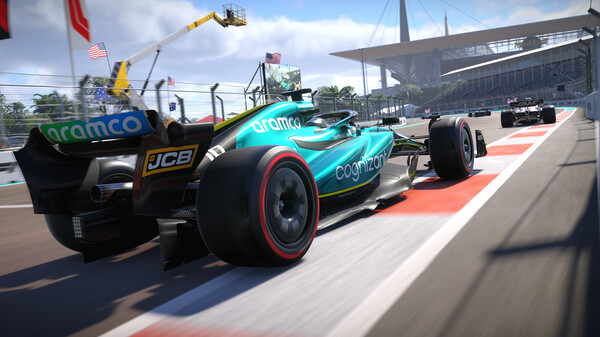
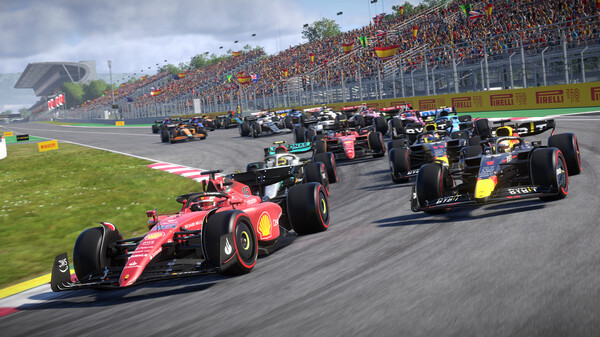
The game includes all official teams, drivers, and circuits from the 2022 season, along with new sprint race formats that add extra intensity to race weekends. Each track is highly detailed, with realistic lighting, weather effects, and accurate layouts that enhance immersion.
Another feature is the introduction of F1 Life, a lifestyle hub where players can showcase supercars and customize their personal space. While it adds a different layer of presentation, the main focus still remains on core racing gameplay, which continues to be the strongest aspect of the series.
Visually, F1 22 delivers impressive graphics with detailed car models, dynamic reflections, and smooth race presentation. Combined with engine sounds and broadcast-style commentary, the game creates a cinematic Formula 1 atmosphere.
Whether you are a casual racing fan or a competitive sim racer, F1 22 offers an exciting and polished Formula 1 experience that reflects the modern era of motorsport with realism and speed.
Before downloading make sure that your PC meets minimum system requirements
Minimum System Requirements
- OS: Windows 10 / 11 64-bit
- Processor: Intel Core i3-2130 or AMD FX 4300
- Memory: 8 GB RAM
- Graphics Card: NVIDIA GTX 1050 Ti
- DirectX: Version 12
- Storage: 80 GB available space
Screenshots
How to Install F1 22?
- Download: Get the installer only from the official developer or a verified store.
- Run Setup: Double-click the official .exe file and follow the prompts.
- Default Path: Install to the recommended folder to ensure proper system permissions.
- Update: Run the game launcher to download any official security patches.
- Launch: Open the game via the official desktop shortcut.



