 Apunkagames Official Site – Games Download For PC ApunKaGames is a best website to download games for PC.
Table of Contents

Survive a brutal post-apocalyptic world in 7 Days to Die, an open-world survival horror game developed and published by The Fun Pimps. Set in a zombie-infested wasteland, the game combines survival crafting, exploration, building, and combat in a fully destructible voxel world.
The gameplay focuses on survival mechanics, base building, resource gathering, crafting, and zombie combat, where players must scavenge for food, water, weapons, and materials while defending themselves from increasingly dangerous undead threats.
One of the standout features of 7 Days to Die is its dynamic survival and progression system. Every seven in-game days, a massive “Blood Moon Horde” attacks the player, forcing them to build strong defenses, traps, and fortified bases to survive overwhelming waves of zombies.
The world is fully open and destructible, allowing players to mine underground, break structures, and reshape the environment to gather resources or build custom fortresses. This adds deep strategic freedom to survival gameplay.
Combat includes melee weapons, firearms, bows, explosives, and traps. Players must carefully manage stamina, ammo, and health while facing different zombie types with unique behaviors and strengths.
Crafting is a core system, allowing players to create tools, weapons, armor, vehicles, and base upgrades. Progression is tied to skills, perks, and exploration, encouraging long-term survival planning.
The game also features multiplayer co-op, where players can team up to build settlements, share resources, and defend against zombie hordes together.
With its combination of open-world survival, crafting depth, base defense mechanics, and intense zombie horde attacks, 7 Days to Die delivers a challenging and highly replayable survival experience.
Before downloading make sure that your PC meets minimum system requirements
Minimum System Requirements
- OS: Windows 10 or higher (64-bit)
- Processor: 2.8 Ghz Quad Core CPU
- Memory: 8 GB RAM
- Graphics: 2 GB Dedicated Memory
- DirectX: Version 11
- Storage: 15 GB available space
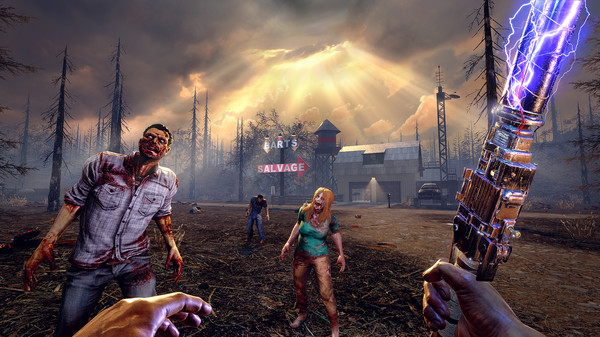
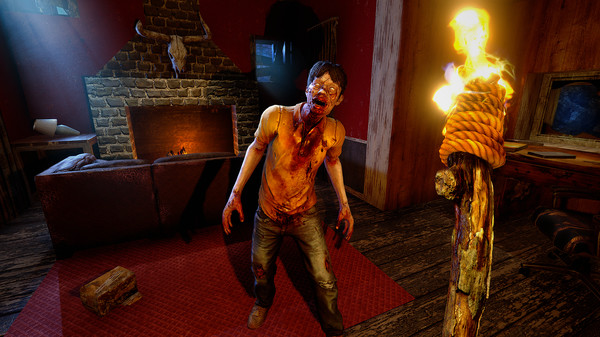
Screenshots
How to Install 7 Days to Die?
- Download: Get the installer only from the official developer or a verified store.
- Run Setup: Double-click the official .exe file and follow the prompts.
- Default Path: Install to the recommended folder to ensure proper system permissions.
- Update: Run the game launcher to download any official security patches.
- Launch: Open the game via the official desktop shortcut.



