Apunkagames Official Site – Games Download For PC ApunKaGames is a best website to download games for PC.
Table of Contents

Tom Clancy’s Rainbow Six Vegas is a tactical first-person shooter developed by Ubisoft Montreal and published by Ubisoft. It is part of the Tom Clancy’s Rainbow Six series and focuses on counter-terrorism operations, squad tactics, and close-quarters urban combat.
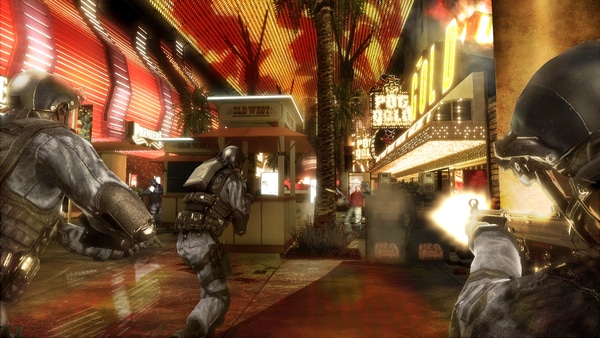
The story is set in Las Vegas, where an elite Rainbow team is deployed to stop a terrorist threat led by a dangerous organization attempting to destabilize the city. Players take part in missions across casinos, hotels, and urban environments filled with heavily armed enemies.
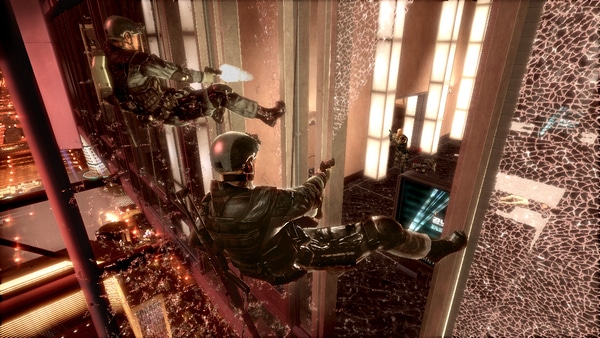
Gameplay emphasizes tactical shooting, cover-based mechanics, and squad coordination. Players can command teammates, plan entry points, and use strategic positioning to clear rooms and eliminate threats efficiently.
One of the standout features of Tom Clancy’s Rainbow Six: Vegas is its cover system and tactical planning tools, allowing players to lean around corners, breach doors, and use advanced gadgets like thermal vision to gain an advantage in combat.
The game also includes cooperative gameplay and multiplayer modes, where teamwork and communication are essential for success in high-pressure firefights.
Visually, it features realistic indoor environments, neon-lit casino settings, and immersive sound design, creating a tense and cinematic counter-terrorism experience.
If you enjoy tactical shooters, strategic combat, and realistic military-style gameplay, Tom Clancy’s Rainbow Six: Vegas is a must-play title. It delivers intense urban combat where planning and precision matter more than speed.
Before downloading make sure that your PC meets minimum system requirements
Minimum System Requirements
- OS: Windows 7/8/10/11
- Processor: 3 GHz Pentium 4 or AMD Athlon 3000
- Memory: 2 GB
- Graphics: 128 MB DirectX 9.0c-compliant
- DirectX: DirectX 9 or higher
- Hard Drive: 7 GB free
Screenshots
How to Install?
- Download: Get the installer only from the official developer or a verified store.
- Run Setup: Double-click the official .exe file and follow the prompts.
- Default Path: Install to the recommended folder to ensure proper system permissions.
- Update: Run the game launcher to download any official security patches.
- Launch: Open the game via the official desktop shortcut.