Apunkagames Official Site – Games Download For PC ApunKaGames is a best website to download games for PC.
Table of Contents
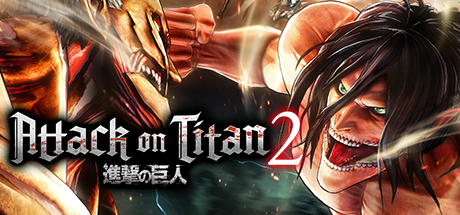
Attack on Titan 2 is an exhilarating, high-flying action game released in 2018 that masterfully captures the terrifying scale and kinetic energy of the hit anime series. Developed by Omega Force, the narrative covers the dramatic events of the anime’s first two seasons, but cleverly reframes the story by letting you experience the chaos through the eyes of a custom-created Scout fighting alongside iconic characters like Eren, Mikasa, and Levi.
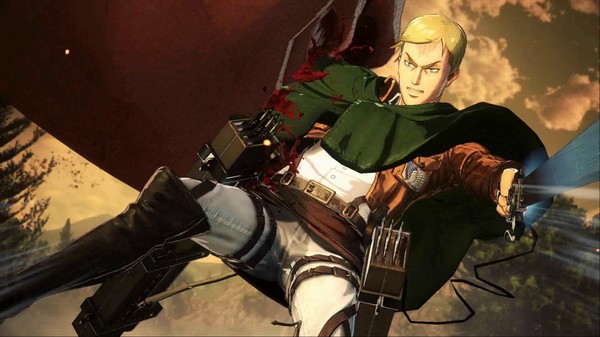
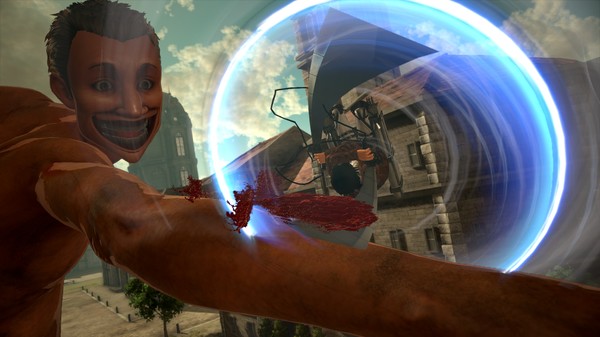
For PC players, the game delivers an incredible sense of momentum via the series’ signature Omni-Directional Mobility (ODM) gear. The mechanics allow you to hook onto buildings, trees, and massive Titans, swinging through the air at breakneck speeds to launch precise, slashing attacks at enemy limbs or the weak spots on the nape of their necks. Combat requires careful management of your gas pressure and blade sharpness, while introducing enhanced evasion maneuvers and base-building tactical options on the battlefield.
Visually, the game utilizes a crisp, cel-shaded art style that looks exactly like the animation brought to life, featuring fluid acrobatics and destructible city environments. The complete digital installation requires 30 GB of available storage space on your hard drive or solid-state drive (SSD) to begin your deployment outside the walls.
Before downloading make sure that your PC meets minimum system requirements
Minimum System Requirements
- OS: Windows 10 64bit
- Processor: Core I5 2400 or over
- Memory: 6 GB RAM
- Graphics: NVIDIA GeForce GTX 660 VRAM 1GB
- DirectX: Version 11
- Storage: 30 GB available space
Screenshots
How to Install Attack on Titan 2?
- Download: Get the installer only from the official developer or a verified store.
- Run Setup: Double-click the official .exe file and follow the prompts.
- Default Path: Install to the recommended folder to ensure proper system permissions.
- Update: Run the game launcher to download any official security patches.
- Launch: Open the game via the official desktop shortcut.