Apunkagames Official Site – Games Download For PC ApunKaGames is a best website to download games for PC.
Table of Contents
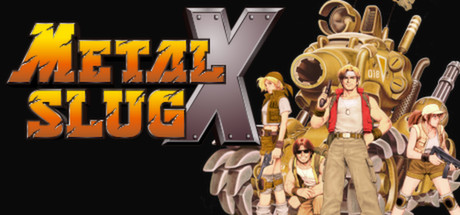
Metal Slug X is a high-octane 2D run-and-gun arcade masterpiece released in 1999 that is widely considered one of the finest side-scrollers ever made. Originally conceived as an extensively upgraded remix of Metal Slug 2, the narrative follows the Peregrine Falcon squad as they battle General Morden’s Rebel Army and eventually join forces with them to repel an unexpected, hostile invasion by the alien Mars People.
For PC players accessing the game today via modern digital ports or emulation, this installment represents absolute mechanical perfection. The developers rebuilt the game engine from scratch, completely eliminating the notorious slowdown issues of its predecessor while introducing a highly aggressive weapon sandbox. It debuted iconic power-ups like the homing Enemy Chaser, the bouncing Drop Shot, and the destructive Iron Lizard, alongside remixed enemy placement, daytime variations, and entirely new mechanized vehicles.
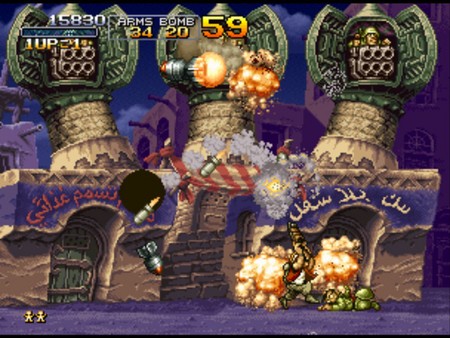
Visually, the game utilizes the pinnacle of hand-drawn Neo Geo sprite artistry, rendering cinematic explosions, hilarious character animations, and hyper-detailed military bosses with incredible precision. The ultra-lightweight architecture runs at a locked 60 FPS on any contemporary desktop setup, requiring less than 1 GB of available storage space on your hard drive or solid-state drive (SSD) to deploy.
Before downloading make sure that your PC meets minimum system requirements
Minimum System Requirements
- OS: Windows Vista, 7, 8
- Processor: Pentium 4 2.4Ghz
- Memory: 1 GB RAM
- Graphics: Intel HD Graphics
- DirectX: Version 9.0c
- Storage: 500 MB available space
Screenshots
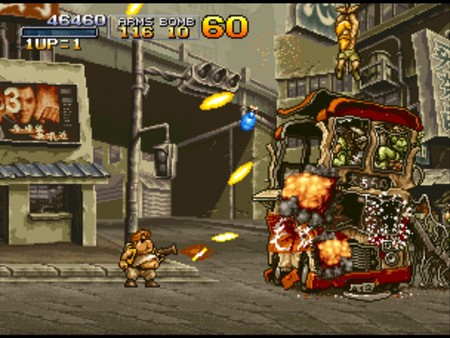
How to Install Metal Slug X?
- Download: Get the installer only from the official developer or a verified store.
- Run Setup: Double-click the official .exe file and follow the prompts.
- Default Path: Install to the recommended folder to ensure proper system permissions.
- Update: Run the game launcher to download any official security patches.
- Launch: Open the game via the official desktop shortcut.