Apunkagames Official Site – Games Download For PC ApunKaGames is a best website to download games for PC.
Table of Contents
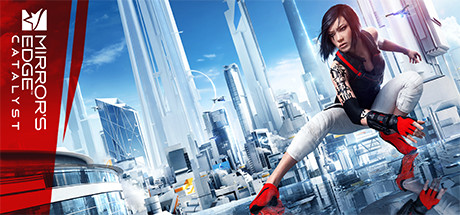
Mirror’s Edge Catalyst is a first-person action-adventure game developed by DICE and published by Electronic Arts. It is a reboot of Mirror’s Edge and focuses on parkour movement, fluid traversal, and futuristic dystopian storytelling.
The story follows Faith Connors, a “Runner” in the city of Glass, a highly controlled society where corporations monitor and restrict citizens through surveillance systems. After being imprisoned for past crimes, Faith becomes involved in a larger conspiracy that challenges the city’s authoritarian control.
Gameplay focuses on first-person parkour movement, exploration, combat, and mission-based progression. Players run across rooftops, walls, and structures using momentum-based movement to navigate the city as efficiently as possible.
One of the standout features of Mirror’s Edge Catalyst is its open-world design, allowing players to freely explore the city of Glass while chaining parkour routes together for speed and flow.
The game emphasizes momentum-based traversal, where maintaining speed is essential, and smooth movement between jumps, slides, wall-runs, and climbs is key to success.
Combat is more streamlined compared to traditional action games, encouraging players to rely on dodging, disarming enemies, and movement-based escapes rather than heavy gunplay.
Visually, it features clean futuristic architecture, bright white and neon environments, minimalist city design, and high-contrast aesthetics, creating a distinct and stylish sci-fi atmosphere.
If you enjoy fast movement games, parkour mechanics, and futuristic dystopian settings, Mirror’s Edge Catalyst delivers a unique and movement-focused open-world experience.
Before downloading make sure that your PC meets minimum system requirements
Minimum System Requirements
- OS: Windows 7 64-Bit
- Processor: Intel i3-3250 / AMD FX-6350
- Memory: 6 GB RAM
- Graphics: NVIDIA GeForce GTX 650 Ti 2GB
- Storage: 25 GB available space
Screenshots
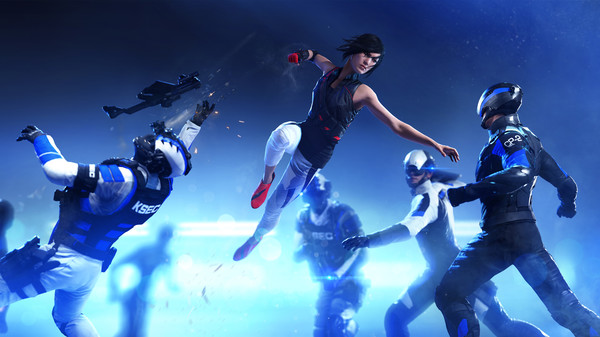
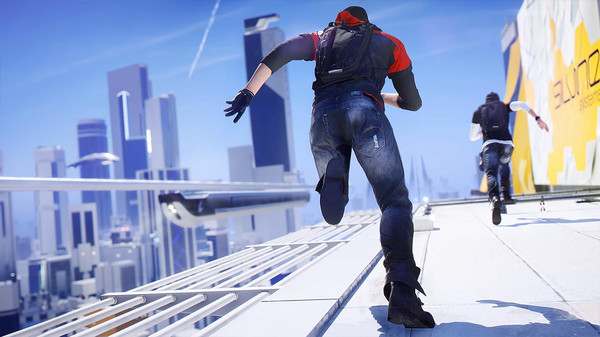
How to Install Mirror’s Edge Catalyst?
- Download: Get the installer only from the official developer or a verified store.
- Run Setup: Double-click the official .exe file and follow the prompts.
- Default Path: Install to the recommended folder to ensure proper system permissions.
- Update: Run the game launcher to download any official security patches.
- Launch: Open the game via the official desktop shortcut.