Apunkagames Official Site – Games Download For PC ApunKaGames is a best website to download games for PC.
Table of Contents
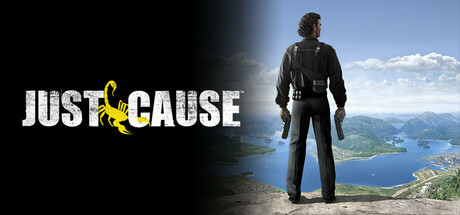
Just Cause 1 is an open-world action-adventure game developed by Avalanche Studios and published by Eidos Interactive. It is the first entry in the Just Cause series and introduces the core idea of sandbox-style chaos, high mobility, and large-scale military overthrow missions.
The story follows Rico Rodriguez, a covert operative working for a secret agency known as the Agency. He is sent to the fictional Caribbean island nation of San Esperito, where he is tasked with toppling a corrupt government suspected of possessing weapons of mass destruction.
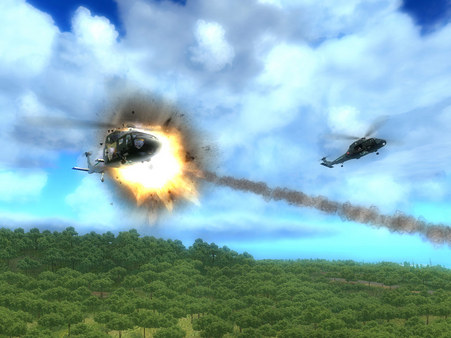
Gameplay focuses on open-world exploration, third-person shooting, and vehicle-based combat. Players can freely explore a large island environment, complete missions in any order, and engage in large-scale fights against military forces.
One of the standout features of Just Cause is its early version of the freeform mission structure, allowing players to choose how they destabilize the government through sabotage, assassinations, and faction support.
The game also emphasizes vehicle variety and traversal, letting players use cars, boats, helicopters, and planes to move across its tropical island setting.
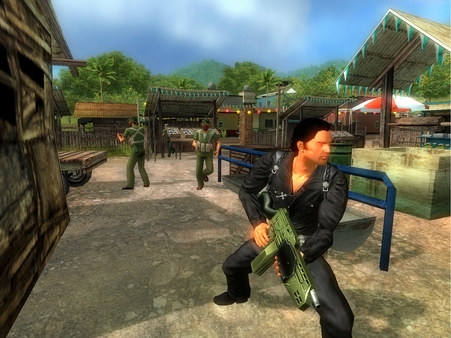
Visually, it features lush jungle environments, coastal regions, and military bases, creating a large open-world playground for action gameplay.
If you enjoy open-world action games, military-themed sandbox gameplay, and freedom-based exploration, Just Cause is the foundation of the series. It established the chaotic, freedom-driven gameplay style that the later games expanded significantly.
Before downloading make sure that your PC meets minimum system requirements
Minimum System Requirements
- OS: Windows 2000/XP
- Processor: Pentium IV 1.4 GHz
- Memory: 512 MB RAM
- Graphics: NVIDIA GeForce 6200
- DirectX: Version 9.0c
- Storage: 6 GB
Screenshots
How to Install Just Cause 1?
- Download: Get the installer only from the official developer or a verified store.
- Run Setup: Double-click the official .exe file and follow the prompts.
- Default Path: Install to the recommended folder to ensure proper system permissions.
- Update: Run the game launcher to download any official security patches.
- Launch: Open the game via the official desktop shortcut.