Apunkagames Official Site – Games Download For PC ApunKaGames is a best website to download games for PC.
Table of Contents
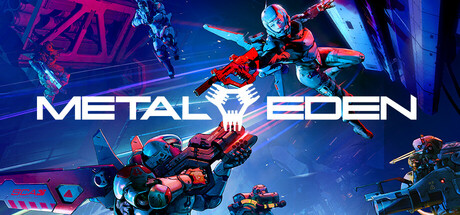
METAL EDEN is a fast-paced sci-fi first-person shooter developed by Reikon Games and published by Deep Silver. The game focuses on high-speed cybernetic combat, parkour movement, and futuristic warfare in a dark cyberpunk world.
The story follows ASKA, an advanced android called a Hyper Unit, who is sent on a dangerous mission to the orbital city MOEBIUS. Humanity’s minds have been stored inside devices known as COREs, but the city has been overtaken by rogue machines and hostile forces. ASKA must rescue the surviving COREs while uncovering the secrets behind Project EDEN.
Gameplay focuses on aggressive movement-based shooting, combining:
- Jetpack hovering
- Wall-jumping
- Grappling movement
- Bullet-time mechanics
- High-speed arena combat
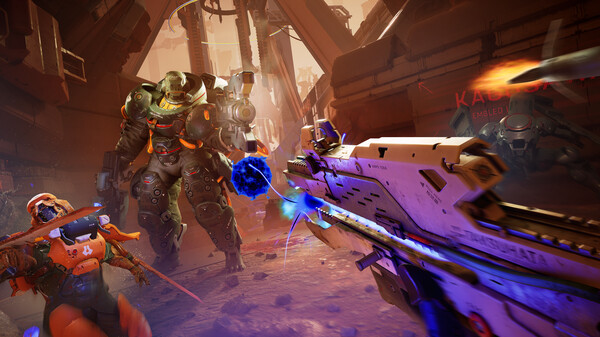
The game is often compared to titles like DOOM Eternal, Ghostrunner, and Titanfall 2 because of its intense mobility and fast combat pacing.
One of the standout features of METAL EDEN is its Core Extraction mechanic, where players rip energy cores from enemies. These cores can be:
- Used as explosive weapons
- Consumed for healing
- Used to power special attacks
This creates a very aggressive combat loop built around constant movement and close-range pressure.
The game also includes:
- Weapon upgrades and skill trees
- Cybernetic abilities
- “Ball Mode” high-speed traversal
- Arena-style combat encounters
- Large sci-fi industrial environments
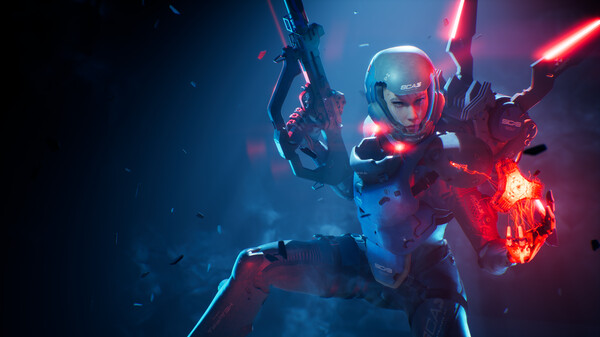
Visually, it features cyberpunk-inspired environments, neon lighting, futuristic robots, and cinematic sci-fi aesthetics, heavily inspired by anime and futuristic dystopian worlds.
If you enjoy fast FPS games, cyberpunk settings, movement shooters, and intense futuristic combat, METAL EDEN is a strong choice with gameplay focused on speed, aggression, and stylish sci-fi action.
Before downloading make sure that your PC meets minimum system requirements
Minimum System Requirements
- OS: Windows 10 / 11
- Processor: AMD Ryzen 7 3700X / Intel Core i7-10700K
- Memory: 16 GB RAM
- Graphics: NVIDIA GTX 1080 / Radeon RX 5700 XT
- DirectX: Version 12
- Storage: 25 GB available space
Screenshots
How to Install METAL EDEN?
- Download: Get the installer only from the official developer or a verified store.
- Run Setup: Double-click the official .exe file and follow the prompts.
- Default Path: Install to the recommended folder to ensure proper system permissions.
- Update: Run the game launcher to download any official security patches.
- Launch: Open the game via the official desktop shortcut.