 Apunkagames Official Site – Games Download For PC ApunKaGames is a best website to download games for PC.
Table of Contents
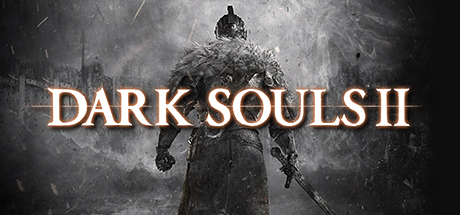
Step into a cursed and decaying kingdom in Dark Souls 2, an action role-playing game developed by FromSoftware and published by Bandai Namco Entertainment. Continuing the legacy of the Souls series, the game expands on its signature difficulty, atmospheric storytelling, and deep RPG mechanics for PC players.
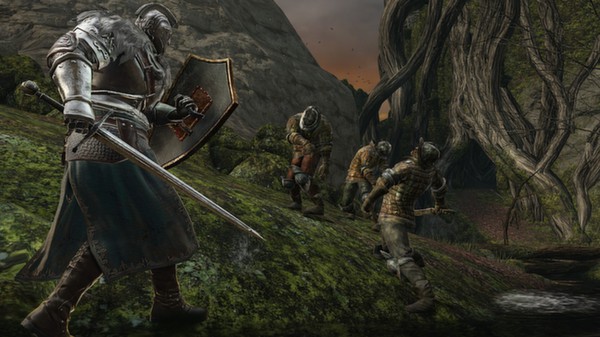
The gameplay focuses on methodical combat, exploration, and character progression, where players navigate the fallen kingdom of Drangleic, facing deadly enemies, traps, and powerful bosses across interconnected environments. Every encounter demands patience, timing, and careful resource management.
Players control an undead adventurer searching for a cure to the curse of undeath while slowly uncovering the mysteries behind the kingdom’s downfall. The story is told indirectly through environmental clues, cryptic dialogue, and item descriptions, encouraging players to piece together the lore themselves.
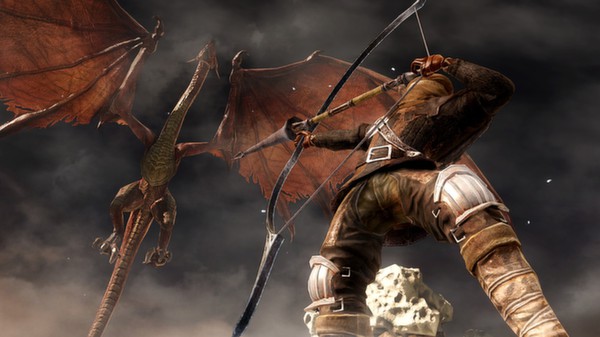
Combat is slower and more strategic than typical action games, relying on stamina management, dodging, blocking, and learning enemy attack patterns. Weapon variety allows players to experiment with different builds including melee-focused knights, agile fighters, and magic users.
One of the standout features of Dark Souls II is its expanded world structure and multiple interconnected regions filled with secrets, shortcuts, and hidden pathways. Exploration is heavily rewarded, and danger is present in nearly every area.
The game introduces a variety of challenging boss fights, ranging from towering armored warriors to monstrous creatures and magical entities. Each boss requires unique tactics and mastery of mechanics to defeat.
With its combination of challenging combat, deep RPG systems, and dark atmospheric world design, Dark Souls II delivers a demanding but rewarding experience for PC players who enjoy hardcore action RPGs and strategic gameplay.
Before downloading make sure that your PC meets minimum system requirements
Minimum System Requirements
- OS: Windows 7 / 8 / 10 / 11
- Processor: AMD Phenom II X2 555 3.2Ghz
- Memory: 2 GB RAM
- Graphics: NVIDIA GeForce 9600GT
- DirectX: Version 9.0c
- Storage: 12 GB available space
Screenshots
How to Install Dark Souls 2?
- Download: Get the installer only from the official developer or a verified store.
- Run Setup: Double-click the official .exe file and follow the prompts.
- Default Path: Install to the recommended folder to ensure proper system permissions.
- Update: Run the game launcher to download any official security patches.
- Launch: Open the game via the official desktop shortcut.



