 Apunkagames Official Site – Games Download For PC ApunKaGames is a best website to download games for PC.
Table of Contents
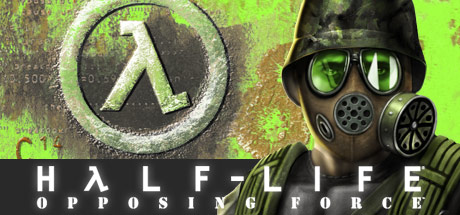
Return to the chaos of Black Mesa from a new perspective in Half Life Opposing Force, a first-person expansion to the original Half-Life developed by Gearbox Software and published by Sierra On-Line. The game follows U.S. Marine Adrian Shephard, who is sent to Black Mesa to contain the incident—but quickly becomes trapped in the same catastrophic alien invasion.
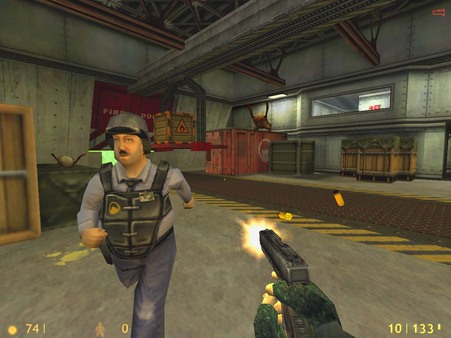
The gameplay focuses on first-person shooting, exploration, puzzle-solving, and military combat, where players experience the Black Mesa disaster from a completely different viewpoint. Instead of a scientist trying to survive, you play a trained soldier facing overwhelming alien and human threats.
One of the standout features of Opposing Force is its expanded arsenal and new gameplay mechanics. Players gain access to unique weapons such as the barnacle grapple, shock rifle, and other experimental tools not found in the original game.
Combat is faster and more military-focused, with squad-based engagements, tactical positioning, and more aggressive firefights against both alien creatures and hostile Black Ops units sent to eliminate evidence of the disaster.
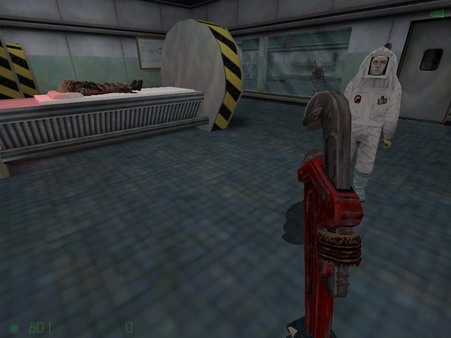
The game also introduces new enemy types and environments, expanding the Black Mesa facility with additional areas, secret labs, and underground sections that deepen the original storyline.
As the story progresses, Adrian Shephard becomes isolated from his unit, forced to rely on his instincts while uncovering the full scale of the catastrophe unfolding around him.
With its combination of expanded Half-Life gameplay, new weapons and enemies, and a parallel storyline, Half-Life: Opposing Force delivers a fresh and intense perspective on one of gaming’s most iconic events.
Before downloading make sure that your PC meets minimum system requirements
Minimum System Requirements
- OS: Windows 95 / 98 / ME / 2000 / XP
- Processor: 500 MHz Pentium III or equivalent
- Memory (RAM): 96 MB
- Graphics: 16 MB video card (DirectX-compatible)
- DirectX Version: DirectX 6.0 or higher
- Storage: 400 MB free disk space
Screenshots
How to Install?
- Download: Get the installer only from the official developer or a verified store.
- Run Setup: Double-click the official .exe file and follow the prompts.
- Default Path: Install to the recommended folder to ensure proper system permissions.
- Update: Run the game launcher to download any official security patches.
- Launch: Open the game via the official desktop shortcut.



