 Apunkagames Official Site – Games Download For PC ApunKaGames is a best website to download games for PC.
Table of Contents
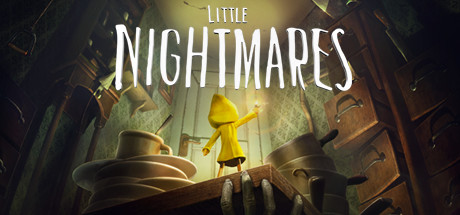
Little Nightmares is a horror puzzle-platformer game developed by Tarsier Studios and published by Bandai Namco Entertainment. It is the first entry in the Little Nightmares series and focuses on atmospheric horror, stealth gameplay, and environmental storytelling.
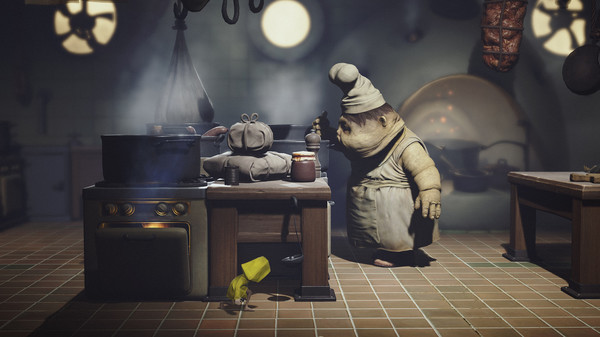
The story follows a small girl known as Six, who wakes up trapped inside a massive underwater vessel called The Maw. This strange place is filled with grotesque, oversized inhabitants and disturbing environments, where Six must find a way to escape while avoiding deadly threats.
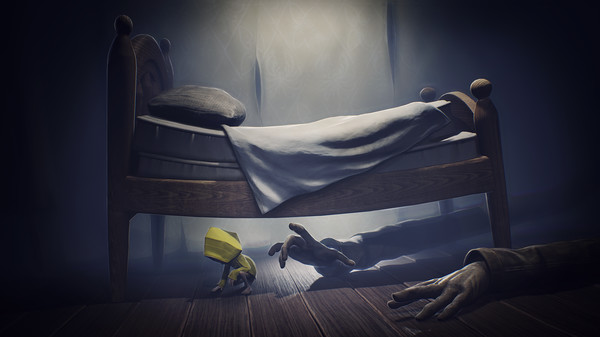
Gameplay focuses on stealth, exploration, platforming, and puzzle-solving. Players must sneak past enemies, solve environmental puzzles, and use timing and awareness to survive encounters, as direct combat is very limited or impossible in most situations.
One of the standout features of Little Nightmares is its strong psychological horror atmosphere, created through disturbing enemy designs, oppressive environments, and a constant feeling of vulnerability.
The game tells its story without dialogue, relying on visual storytelling, sound design, and environmental clues to convey meaning and build its dark narrative.
Visually, it features stylized dark environments, exaggerated proportions, eerie lighting, and surreal monster designs, giving it a unique and unsettling fairy-tale horror style.
If you enjoy atmospheric horror games, stealth gameplay, and minimalist storytelling, Little Nightmares is a highly memorable experience that blends puzzle-solving with psychological tension.
Before downloading make sure that your PC meets minimum system requirements
Minimum System Requirements
- OS: Windows 7/8/10/11 64-bit
- Processor: Intel CPU Core i3
- Memory: 4 GB RAM
- Graphics: Nvidia GTX 460
- DirectX: Version 11
- Storage: 10 GB available space
Screenshots
How to Install Little Nightmares?
- Download: Get the installer only from the official developer or a verified store.
- Run Setup: Double-click the official .exe file and follow the prompts.
- Default Path: Install to the recommended folder to ensure proper system permissions.
- Update: Run the game launcher to download any official security patches.
- Launch: Open the game via the official desktop shortcut.



