 Apunkagames Official Site – Games Download For PC ApunKaGames is a best website to download games for PC.
Table of Contents
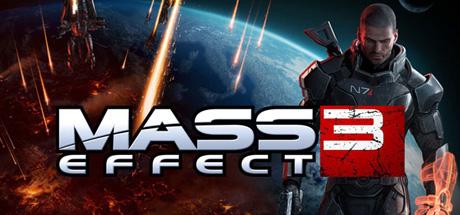
Mass Effect 3 is a science fiction action RPG developed by BioWare and published by Electronic Arts. It is the third and final main entry in the original Mass Effect trilogy, focusing on galactic war, decision-driven storytelling, and squad-based combat.
The story follows Commander Shepard as the galaxy faces an all-out invasion by the Reapers, an ancient machine race determined to harvest all advanced civilizations. Shepard must unite different alien species, rebuild alliances, and prepare a final resistance against extinction.
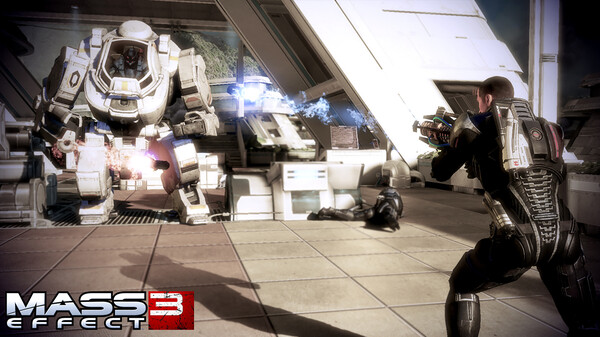
Gameplay combines third-person shooting, RPG progression, tactical squad combat, and branching dialogue choices. Players travel across multiple planets and star systems, completing missions that directly influence the strength of the galactic forces in the final battle.
One of the standout features of Mass Effect 3 is the Galactic Readiness system, where the player’s choices throughout the game (and earlier entries) determine the outcome of the final conflict and multiple possible endings.
The game also emphasizes fast-paced combat, improved movement, power-based abilities, and more refined shooting mechanics compared to earlier entries in the series.
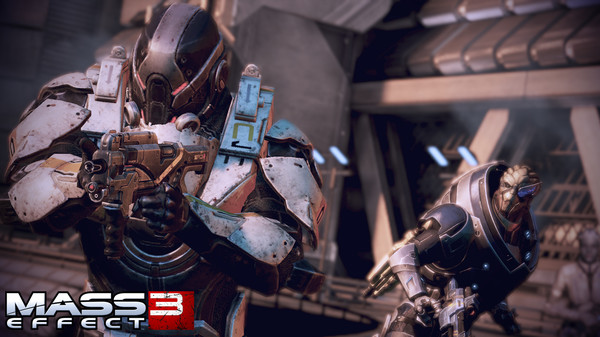
Squad interactions remain a core part of the experience, with companions playing important roles in both gameplay and emotional storytelling, as their loyalty and survival depend on player decisions.
Visually, it features cinematic space battles, alien worlds, war-torn cities, and detailed character animations, creating a dramatic and emotionally charged sci-fi atmosphere.
If you enjoy story-driven RPGs, space warfare, meaningful choices, and cinematic science fiction storytelling, Mass Effect 3 delivers a powerful conclusion to Commander Shepard’s journey.
Before downloading make sure that your PC meets minimum system requirements
Minimum System Requirements
- OS: Windows 7/8/10/11
- Processor: 1.8 GHz Intel Core 2 Duo
- Memory: 2 GB
- Hard Drive: At least 15 GB of free space
- Video Card: ATI Radeon HD 2600 XT
Screenshots
How to Install Mass Effect 3?
- Download: Get the installer only from the official developer or a verified store.
- Run Setup: Double-click the official .exe file and follow the prompts.
- Default Path: Install to the recommended folder to ensure proper system permissions.
- Update: Run the game launcher to download any official security patches.
- Launch: Open the game via the official desktop shortcut.



