 Apunkagames Official Site – Games Download For PC ApunKaGames is a best website to download games for PC.
Table of Contents
Mass Effect Andromeda is an action role-playing game developed by BioWare and published by Electronic Arts. It is part of the Mass Effect series and focuses on space exploration, narrative choices, and squad-based combat in a new galaxy.
The story takes place in the Andromeda galaxy, where humanity joins other alien species in the Andromeda Initiative, a mission to find a new home beyond the Milky Way. The player takes on the role of the Pathfinder, tasked with discovering habitable worlds and establishing colonies while facing unknown alien threats known as the Kett.
Gameplay combines third-person shooting, RPG progression, exploration, and dialogue-driven storytelling. Players travel between planets, complete missions, upgrade weapons and abilities, and build relationships with squad members through conversation and choices.
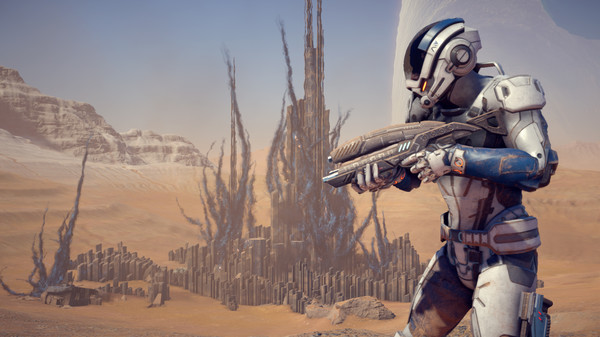
One of the standout features of Mass Effect: Andromeda is its open-world planetary exploration, where players can drive the Nomad vehicle across large alien landscapes, scanning environments and uncovering resources and secrets.
The game also includes a deep dialogue system with branching choices, where decisions affect relationships, story outcomes, and how different factions respond to the player.
Combat is more fast-paced and mobile compared to earlier Mass Effect games, featuring jump jets, real-time shooting, cover mechanics, and customizable skill builds for different playstyles.
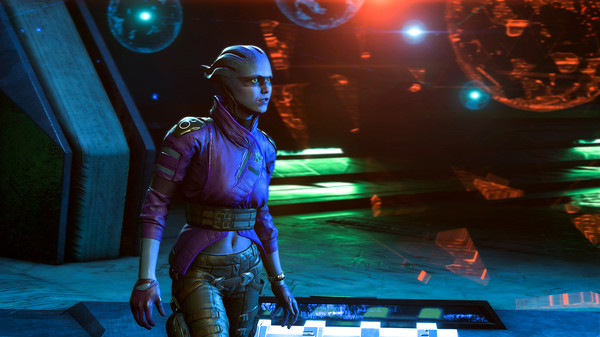
Visually, it features detailed alien worlds, futuristic technology, cinematic character models, and large open environments, creating a strong sci-fi exploration experience.
If you enjoy space RPGs, story-driven choices, and open-world exploration, Mass Effect: Andromeda offers a large-scale sci-fi adventure focused on discovery and survival in a new galaxy.
Before downloading make sure that your PC meets minimum system requirements
Minimum System Requirements
- OS: 64-bit Windows 7, Windows 8.1 and Windows 10
- Processor: Intel Core i5 3570
- Memory: 8 GB RAM
- Graphics: NVIDIA GTX 660 2GB
- DirectX: Version 11
- Storage: 55 GB available space
Screenshots
How to Install Mass Effect Andromeda?
- Download: Get the installer only from the official developer or a verified store.
- Run Setup: Double-click the official .exe file and follow the prompts.
- Default Path: Install to the recommended folder to ensure proper system permissions.
- Update: Run the game launcher to download any official security patches.
- Launch: Open the game via the official desktop shortcut.



