Apunkagames Official Site – Games Download For PC ApunKaGames is a best website to download games for PC.
Table of Contents
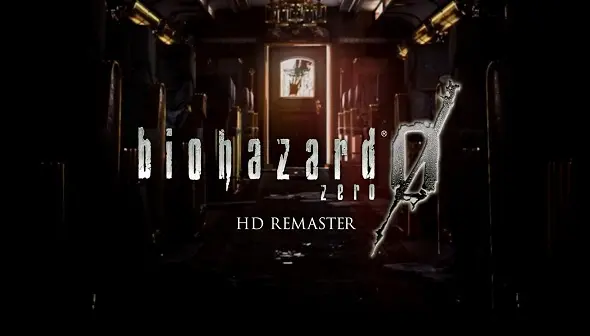
Resident Evil 0 HD Remaster is a survival horror game developed and published by Capcom. It is an enhanced remastered version of Resident Evil 0 and serves as a prequel to the original Resident Evil, exploring the events that happened before the mansion incident.
The story follows rookie S.T.A.R.S. officer Rebecca Chambers and former marine Billy Coen as they investigate a series of brutal murders connected to a mysterious train known as the Ecliptic Express. As they travel deeper into abandoned laboratories and infected facilities, they uncover dark secrets involving the origins of the T-virus and Umbrella Corporation’s experiments.
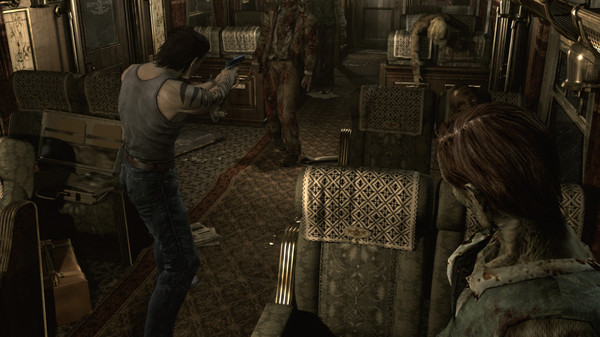
Gameplay focuses on classic survival horror mechanics including exploration, puzzle-solving, limited resources, and tense combat against infected creatures. Unlike later action-heavy Resident Evil games, the experience emphasizes careful inventory management, backtracking, and survival.
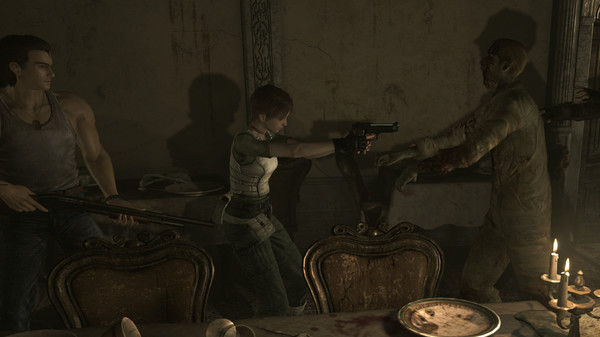
One of the standout features of Resident Evil 0 HD Remaster is its partner-switching system, which allows players to control both Rebecca and Billy, switching between them to solve puzzles, carry items, and fight enemies together.
The remastered version improves the original game with enhanced HD visuals, upgraded textures, widescreen support, improved lighting, and optional modernized controls while preserving the classic fixed-camera survival horror atmosphere.
Visually, the game features dark pre-rendered environments, detailed creature designs, atmospheric lighting, and cinematic horror presentation that capture the classic Resident Evil style.
If you enjoy classic survival horror games with tense atmosphere, puzzle-focused gameplay, and old-school Resident Evil design, Resident Evil 0 HD Remaster is one of the most important entries in the franchise’s early storyline.
Before downloading make sure that your PC meets minimum system requirements
Minimum System Requirements
- OS: Windows 10/11
- Processor: Intel Core 2 Duo 2.4 GHz
- Memory: 2 GB RAM
- Graphics: NVIDIA GeForce GTX260
- DirectX: Version 9.0c
- Network: Broadband Internet connection
- Storage: 13 GB available space
Screenshots
How to Install?
- Download: Get the installer only from the official developer or a verified store.
- Run Setup: Double-click the official .exe file and follow the prompts.
- Default Path: Install to the recommended folder to ensure proper system permissions.
- Update: Run the game launcher to download any official security patches.
- Launch: Open the game via the official desktop shortcut.