 Apunkagames Official Site – Games Download For PC ApunKaGames is a best website to download games for PC.
Table of Contents

The Sims 4 is a life simulation game developed by Maxis and published by Electronic Arts. It is one of the most popular entries in the The Sims series and focuses on creating characters, building homes, managing relationships, and controlling everyday life.
The game allows players to create customizable characters called Sims, designing their appearance, personality traits, goals, clothing, and lifestyles. Players can then guide their Sims through daily activities such as careers, friendships, romance, family life, hobbies, and personal ambitions.
Gameplay centers around life simulation, home building, social interaction, and creativity. Players can construct houses, decorate interiors, manage finances, and shape the stories and personalities of their Sims however they choose.
One of the standout features of The Sims 4 is its advanced Create-A-Sim and Build Mode systems, allowing highly detailed character customization and flexible home design tools.
The game also introduces an emotion system, where Sims react emotionally to events and interactions, affecting their behavior, conversations, and gameplay outcomes.
Over time, the game has expanded with numerous expansion packs and downloadable content adding features such as pets, seasons, universities, businesses, supernatural creatures, city living, farming, and more.
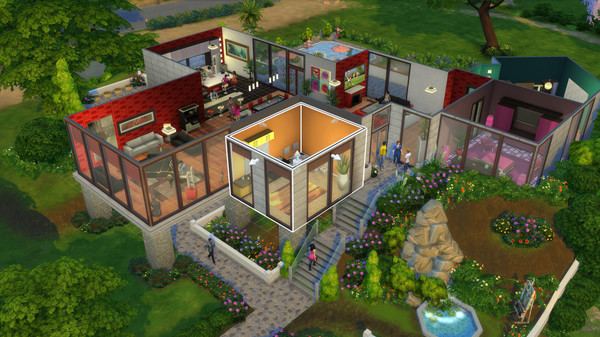
Visually, it features stylized colorful graphics, animated characters, detailed interiors, and lively neighborhoods, creating a playful and creative simulation experience.
If you enjoy life simulation games, creativity, storytelling, and open-ended gameplay, The Sims 4 is one of the most popular and content-rich simulation games available.
Before downloading make sure that your PC meets minimum system requirements
Minimum System Requirements
- OS: 64 Bit Required. Windows 10 / 11
- Processor: 3.3 GHz Intel Core i3-3220
- Memory: 4 GB RAM
- Graphics: NVIDIA GeForce 6600 or better
- DirectX: Version 11
- Network: Broadband Internet connection
- Storage: 26 GB available space
Screenshots

How to Install The Sims 4?
- Download: Get the installer only from the official developer or a verified store.
- Run Setup: Double-click the official .exe file and follow the prompts.
- Default Path: Install to the recommended folder to ensure proper system permissions.
- Update: Run the game launcher to download any official security patches.
- Launch: Open the game via the official desktop shortcut.



