 Apunkagames Official Site – Games Download For PC ApunKaGames is a best website to download games for PC.
Table of Contents
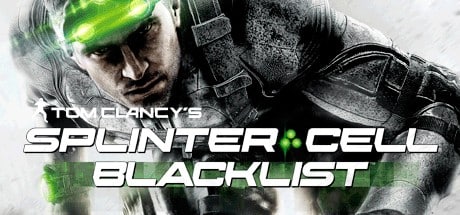
Tom Clancy’s Splinter Cell Blacklist is a stealth-action game developed by Ubisoft Toronto and published by Ubisoft. It is part of the Splinter Cell series and focuses on tactical espionage, stealth infiltration, and flexible combat approaches.
The story follows veteran operative Sam Fisher, who is now the leader of the secret unit Fourth Echelon. After a terrorist group known as the Blacklist issues a series of deadly attacks against the United States, Sam is tasked with stopping them through covert missions across the globe.
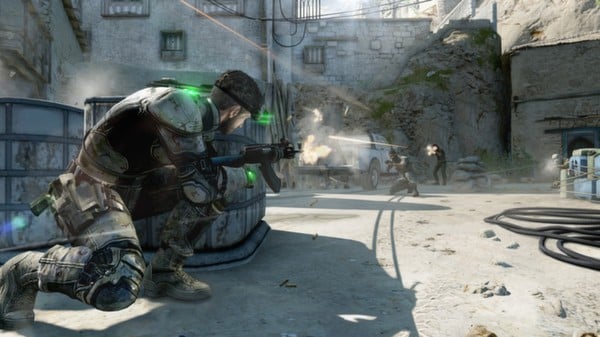
Gameplay is built around player choice between stealth and action, allowing you to complete missions silently without being detected or engage enemies directly using advanced weapons and gadgets. The game rewards both patient stealth players and aggressive tactical approaches.
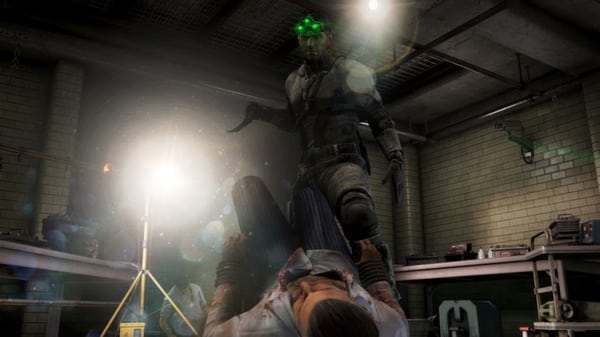
One of the standout features of Tom Clancy’s Splinter Cell: Blacklist is its “Kill in Motion” system, which allows players to tag multiple enemies and execute fluid, cinematic takedowns during real-time movement.
The game also introduces co-op missions and Spies vs Mercs multiplayer mode, offering both cooperative stealth gameplay and competitive asymmetrical multiplayer experiences.
Visually, it features detailed global environments, dynamic lighting, and realistic military technology, enhancing the modern spy thriller atmosphere.
If you enjoy stealth games, tactical espionage, and flexible action gameplay, Tom Clancy’s Splinter Cell: Blacklist is a must-play title. It combines classic stealth mechanics with modern action systems for a balanced and engaging spy experience.
Before downloading make sure that your PC meets minimum system requirements
Minimum System Requirements
- OS: Windows 7/8/10/11
- Processor: 2.53 GHz Intel Core 2 Duo E6400
- Memory: 2 GB RAM
- Graphics: 512 MB DirectX 10–compliant
- DirectX: 9
- Hard Drive: 25 GB HD space
Screenshots
How to Install?
- Download: Get the installer only from the official developer or a verified store.
- Run Setup: Double-click the official .exe file and follow the prompts.
- Default Path: Install to the recommended folder to ensure proper system permissions.
- Update: Run the game launcher to download any official security patches.
- Launch: Open the game via the official desktop shortcut.



